Connect OpenClaw to Shopify (2026 Guide)

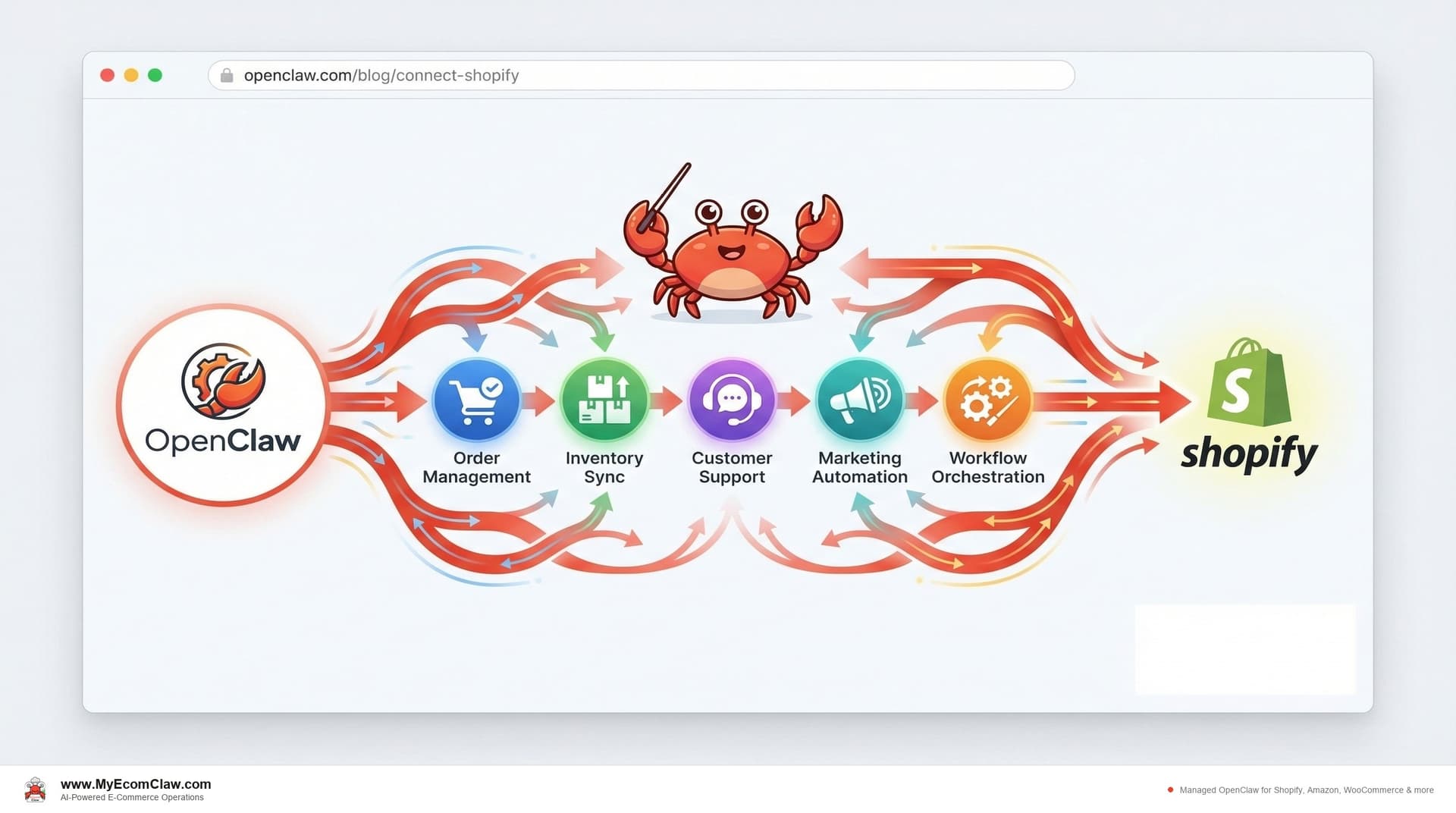
You installed OpenClaw on a Friday night. By Saturday morning, it was running on your VPS. You could talk to it on Slack. You asked it a question. It answered. You felt like the future had arrived.
Then you tried to connect it to your Shopify store.
You opened the Shopify Admin API docs. You created a custom app. You generated the access token. You pasted it into OpenClaw’s configuration. You restarted the server. You asked your agent to pull your latest orders. It returned an authentication error. You checked the scopes. You regenerated the token. You restarted again. It pulled orders — but inventory calls failed because you missed the read_inventory scope. You regenerated the token a third time.
Sound familiar? Every Shopify seller who’s tried this has a version of this story. The agent works. The Shopify connection is the hard part.
Why connecting OpenClaw to Shopify isn’t just "add an API key"
OpenClaw — the world’s most popular open-source AI agent with 191,000+ GitHub stars — is designed to connect to anything. That’s its strength. But "connects to anything" also means "configured for nothing out of the box."
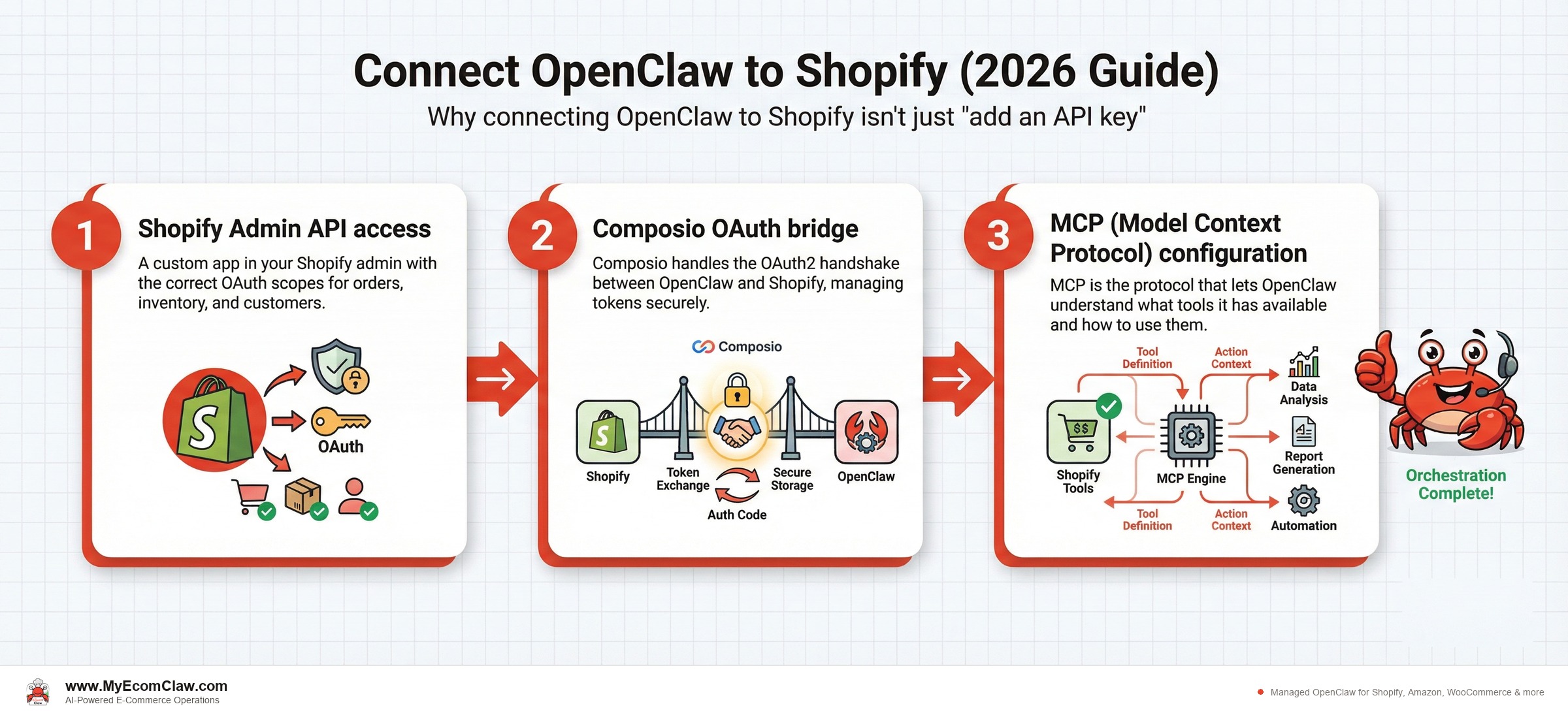
Connecting OpenClaw to Shopify requires three layers:
Shopify Admin API access — A custom app in your Shopify admin with the correct OAuth scopes for orders, inventory, customers, products, discounts, and fulfillment.
Composio OAuth bridge — Composio handles the OAuth2 handshake between OpenClaw and Shopify, managing token refresh, scope validation, and credential storage so your agent maintains persistent access without manual re-authentication.
MCP (Model Context Protocol) configuration — MCP is the protocol that lets OpenClaw understand what tools it has available. Each Shopify skill (orders, inventory, customers) must be registered as an MCP tool with the correct schema so the agent knows when and how to use it.
The part nobody mentions: getting each layer working individually takes a few hours. Getting all three layers working together — reliably, in production, without breaking when Shopify updates their API — takes weeks.
The three connection methods, explained
Method 1: Shopify Admin API (Direct)
This is the foundation. Every OpenClaw-to-Shopify connection starts here.
What you need:
- A Shopify store on any paid plan (Basic, Shopify, Advanced, Plus)
- A custom app created in Settings → Apps and sales channels → Develop apps
- Admin API access token with the correct scopes
Required scopes for full agent functionality:
| Scope | What It Enables | Which Agent Uses It |
|---|---|---|
read_orders, write_orders |
Order monitoring, fulfillment tracking, cancellation handling | Order Agent |
read_inventory, write_inventory |
Stock level tracking, inventory adjustments, location management | Inventory Agent |
read_customers, write_customers |
Customer lookups, segmentation, support ticket context | Support Agent, Marketing Agent |
read_products, write_products |
Product data, variant management, pricing updates | Inventory Agent, Marketing Agent |
read_discounts, write_discounts |
Discount code generation, campaign management | Marketing Agent |
read_fulfillments, write_fulfillments |
Shipping status, tracking updates, delivery confirmations | Order Agent |
read_draft_orders, write_draft_orders |
Cart recovery, custom orders, B2B workflows | Support Agent |
Miss a single scope and your agent will work — until it doesn’t. The error messages aren’t always obvious. We’ve seen sellers debug for days before realizing they forgot write_discounts.
Method 2: Composio OAuth (Recommended for Production)
Composio acts as an OAuth middleware layer. Instead of hardcoding your Shopify access token into OpenClaw’s configuration, Composio manages the full OAuth2 flow.
Why this matters:
- Automatic token refresh — no manual re-authentication
- Scope validation — catches missing permissions before they cause runtime errors
- Credential encryption — tokens stored securely, not in plain text config files
- Multi-store support — manage tokens for multiple Shopify stores from one OpenClaw instance
Setup steps:
- Create a Composio account and connect it to your OpenClaw instance
- Initiate the Shopify OAuth flow through Composio’s dashboard
- Authorize the required scopes in your Shopify admin
- Composio stores the encrypted credentials and provides OpenClaw with a connection ID
- Configure each OpenClaw skill to use the Composio connection ID instead of a raw token
Method 3: MCP Tool Registration
MCP is how OpenClaw knows what it can do. Each Shopify capability must be registered as an MCP tool with a name, description, input schema, and output schema.
Example: The shopify-get-orders MCP tool tells the agent: "You can fetch orders from Shopify. You need a date range and optional status filter. You’ll get back an array of order objects."
Without MCP registration, your agent has API access but doesn’t know it exists. It’s like giving someone a key to a building but not telling them the address.
What each of the 5 agents does for Shopify — specifically
This isn’t generic. Here’s exactly what each OpenClaw agent does when connected to a Shopify store:
1. Order Agent
Shopify skills: shopify-orders, order-validation, fulfillment-tracking
- Monitors new orders via Shopify webhooks (not polling — real-time)
- Validates payment status before flagging for fulfillment
- Detects high-risk orders (mismatched billing/shipping, known fraud patterns)
- Tracks fulfillment status across carriers and updates customers proactively
- Handles cancellation requests and processes refunds per your rules
Shopify-specific detail: The Order Agent uses Shopify’s orders/create webhook to trigger instantly when a new order lands — no 15-minute batch delay.
2. Inventory Agent
Shopify skills: shopify-inventory, stockout-prediction, reorder-alerts
- Tracks stock levels across all Shopify locations (warehouse, retail, fulfillment centers)
- Syncs inventory with Amazon, WooCommerce, and Walmart in real-time
- Predicts stockouts 3-7 days in advance based on rolling sales velocity
- Generates purchase orders and sends them to suppliers on your approval
- Handles bundle component tracking (Shopify doesn’t do this natively)
Shopify-specific detail: Uses inventory_levels/set and inventory_levels/adjust API endpoints to update stock counts atomically — preventing the race conditions that cause overselling.
3. Support Agent
Shopify skills: shopify-customers, ticket-triage, refund-processing
- Looks up order details instantly when a customer contacts you
- Processes refunds and exchanges per your configured rules
- Detects customer sentiment and escalates frustrated buyers to you
- Handles "where is my order" inquiries by pulling tracking data from Shopify
- Creates draft orders for exchanges without you touching the admin
4. Marketing Agent
Shopify skills: shopify-discounts, email-campaigns, customer-segmentation
- Generates Shopify discount codes programmatically (percentage, fixed amount, BOGO)
- Segments customers by purchase history, order frequency, and lifetime value
- Schedules and triggers campaigns based on inventory levels and seasonal trends
- Pauses ad spend on products approaching stockout (coordinated with Inventory Agent)
- Tracks campaign ROI by connecting discount usage to actual revenue
5. Orchestration Agent
Shopify skills: agent-coordinator, workflow-routing, priority-management
- Routes events to the right agent (new order → Order Agent, low stock → Inventory Agent)
- Resolves conflicts when multiple agents need to act on the same event
- Manages priority queues during high-volume periods (flash sales, BFCM)
- Provides you with a unified daily briefing summarizing all agent activity
The Orchestration Agent is the one most sellers don’t realize they need — until their first flash sale when 4 agents are all trying to act on 200 orders simultaneously.
The DIY setup timeline (realistic, not optimistic)
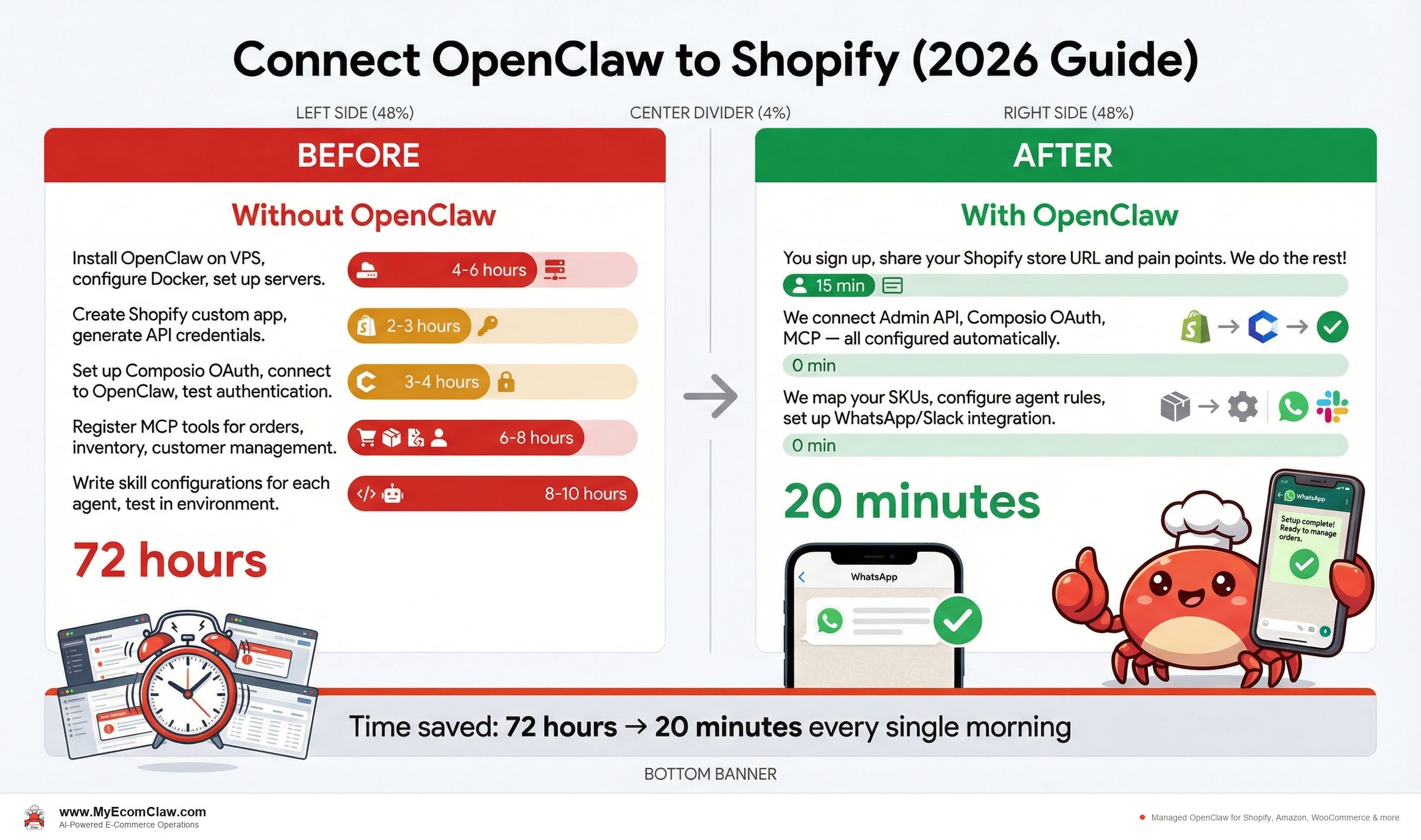
Here’s what actually happens when you try to connect OpenClaw to Shopify yourself:
Before: DIY Setup (2-4 Weeks)
| Day | What You’re Doing | Time Spent |
|---|---|---|
| Day 1 | Install OpenClaw on VPS, configure Docker, set up SSL | 4-6 hours |
| Day 2 | Create Shopify custom app, generate API credentials, configure scopes | 2-3 hours |
| Day 3 | Set up Composio OAuth, connect to OpenClaw, test authentication | 3-4 hours |
| Day 4-5 | Register MCP tools for orders, inventory, customers | 6-8 hours |
| Day 6-7 | Write skill configurations for each agent, test individually | 8-10 hours |
| Day 8-10 | Debug integration issues — webhook failures, scope errors, token expiry | 6-12 hours |
| Day 11-14 | Configure cross-agent coordination, set up WhatsApp/Slack messaging | 4-6 hours |
| Day 15-20 | Test under load, fix edge cases, handle Shopify API rate limits | 8-15 hours |
| Day 21-28 | Production hardening — monitoring, error handling, backup | 4-8 hours |
| Total | 2-4 weeks of evenings and weekends | 45-72 hours |
After: MyEcomClaw Managed Setup (3-5 Days)
| Day | What Happens | Your Time |
|---|---|---|
| Day 1 | You sign up, share your Shopify store URL and pain points. We provision your server. | 15 min |
| Day 2 | We connect Admin API, Composio OAuth, MCP — all configured and tested. | 0 min |
| Day 3 | We map your SKUs, configure agent rules, set up WhatsApp/Slack. | 0 min |
| Day 4 | Your agent sends its first WhatsApp message: “I’m connected to your Shopify store.” | 30 sec reading |
| Day 5 | All 5 agents running, coordinated, monitored. You approve your first PO from WhatsApp. | 2 min |
| Total | 3-5 business days | Under 20 minutes of your time |
- DIY cost:45-72 hours of your time. At $75/hr (developer rate) = $3,375-$5,400
- MyEcomClaw cost:$499-$999 one-time setup + $299-$599/mo
- Break-even:Month 1. And you didn’t spend a single weekend debugging Docker logs.
Talk to your Shopify agent on WhatsApp
Here’s what the connection looks like once everything is running. You don’t open Shopify admin. You open WhatsApp.
First conversation after setup:
Yes, and also show me any orders that need attention.
Done. Here’s your status:
✅ Inventory: 94% in-stock. 12 items below reorder threshold — I’ve drafted POs for the top 5 by sales velocity. Ready for your approval.
⚠️ Orders: 3 orders flagged:
1. Order #4821 — billing/shipping address mismatch (possible fraud)
2. Order #4819 — contains item with 2 units left (risk of oversell if another order comes in)
3. Order #4815 — customer requested cancellation via email
Should I process the cancellation on #4815 and hold the other two for your review?
Process the cancellation. Approve all 5 POs. Hold the flagged orders.
✅ Done. Cancellation processed, refund initiated. 5 POs sent to suppliers. Orders #4821 and #4819 held for your review.
That took 45 seconds. Your agent pulled data from the Shopify Admin API, cross-referenced inventory levels, ran fraud detection, and executed three different actions — all from a WhatsApp message.
Security considerations you can’t skip
Connecting an AI agent to your Shopify store means giving it access to orders, customer PII, payment status, and inventory data. Security isn’t optional.
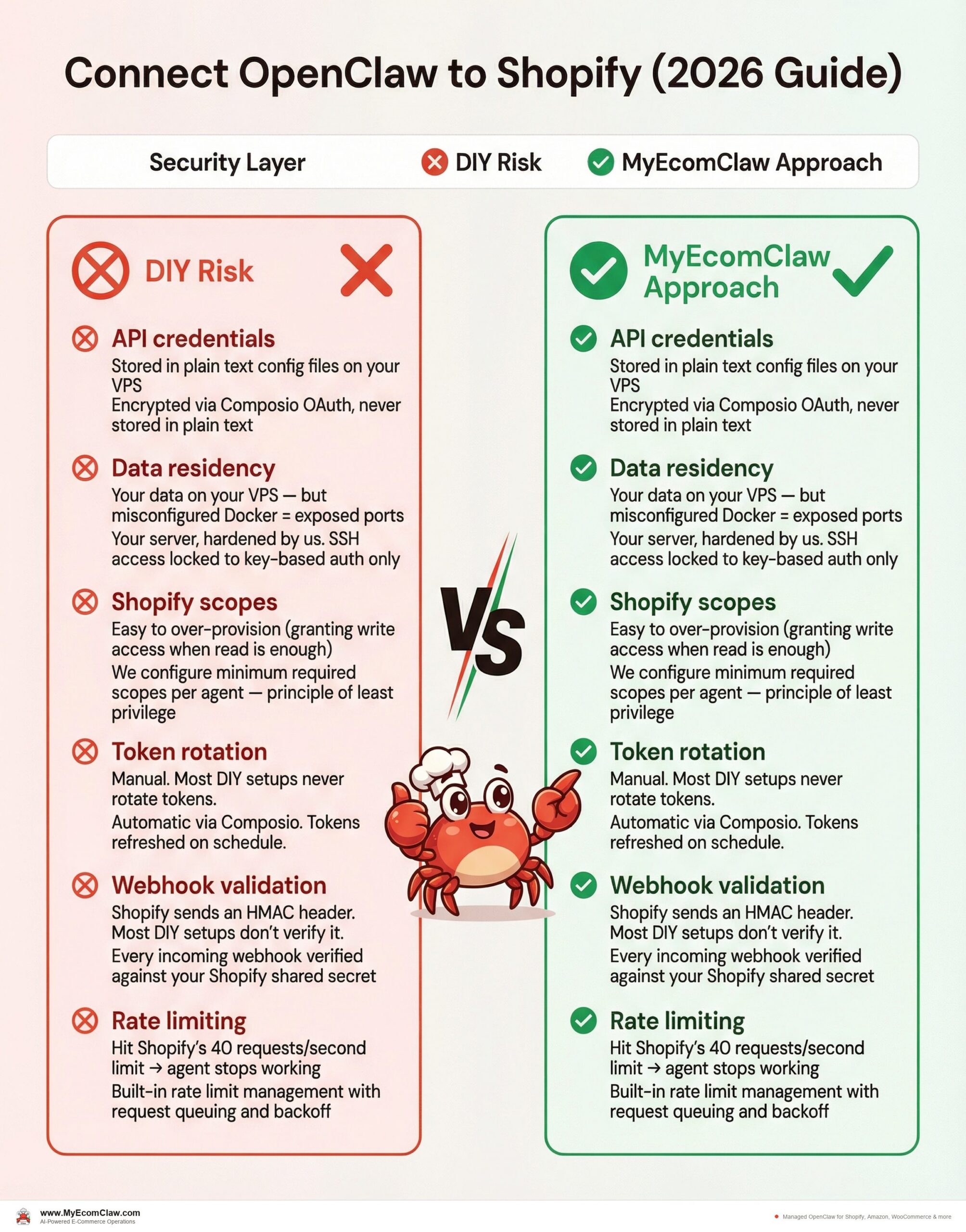
What MyEcomClaw does differently:
| Security Layer | DIY Risk | MyEcomClaw Approach |
|---|---|---|
| API credentials | Stored in plain text config files on your VPS | Encrypted via Composio OAuth, never stored in plain text |
| Data residency | Your data on your VPS — but misconfigured Docker = exposed ports | Your server, hardened by us. SSH access locked to key-based auth only |
| Shopify scopes | Easy to over-provision (granting write access when read is enough) | We configure minimum required scopes per agent — principle of least privilege |
| Token rotation | Manual. Most DIY setups never rotate tokens. | Automatic via Composio. Tokens refreshed on schedule. |
| Webhook validation | Shopify sends an HMAC header. Most DIY setups don’t verify it. | Every incoming webhook verified against your Shopify shared secret |
| Rate limiting | Hit Shopify’s 40 requests/second limit → agent stops working | Built-in rate limit management with request queuing and backoff |
Here’s the thing nobody talks about: most DIY OpenClaw-to-Shopify setups have the API token sitting in a .env file with 777 permissions. We’ve seen it. More than once.
Built on OpenClaw — 191K+ GitHub stars, MIT licensed. Built by Space-O Technologies — 15+ years, 80+ AI developers, 500+ projects delivered. Your data stays on your server. No lock-in. Full SSH access.
The cost of getting it wrong
Connecting OpenClaw to Shopify incorrectly doesn’t just waste time. It creates real business risk.
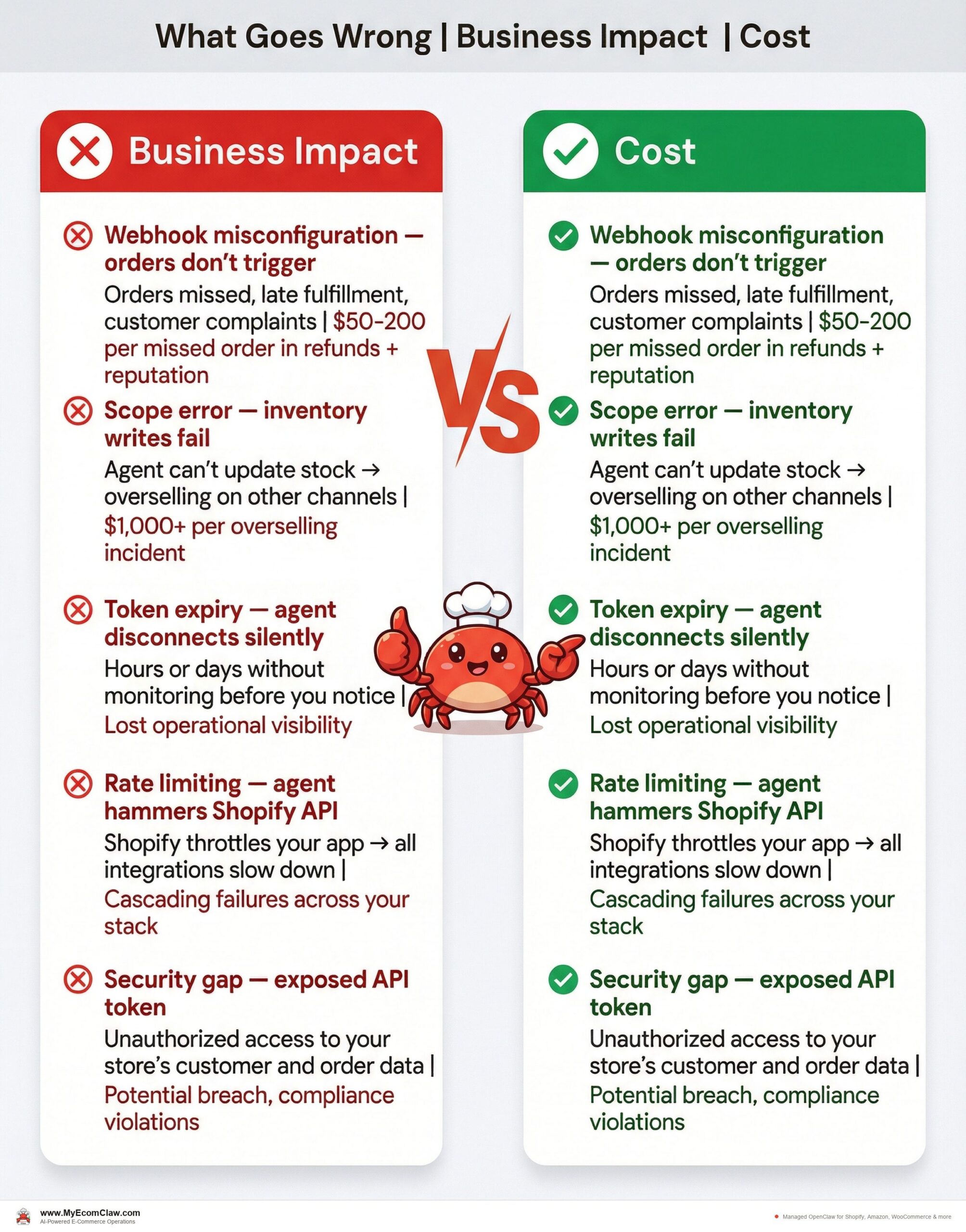
| What Goes Wrong | Business Impact | Cost |
|---|---|---|
| Webhook misconfiguration — orders don’t trigger | Orders missed, late fulfillment, customer complaints | $50-200 per missed order in refunds + reputation |
| Scope error — inventory writes fail | Agent can’t update stock → overselling on other channels | $1,000+ per overselling incident |
| Token expiry — agent disconnects silently | Hours or days without monitoring before you notice | Lost operational visibility |
| Rate limiting — agent hammers Shopify API | Shopify throttles your app → all integrations slow down | Cascading failures across your stack |
| Security gap — exposed API token | Unauthorized access to your store’s customer and order data | Potential breach, compliance violations |
Total risk of a botched DIY integration: $5,000-$25,000+ in the first year from overselling, missed orders, and operational blind spots. Compared to $299/mo for a managed setup that’s tested, secured, and monitored.
Why this matters for your business
The OpenClaw-to-Shopify connection is the foundation everything else builds on. Get it right, and you have 5 coordinated agents managing your store 24/7. Get it wrong, and you have an expensive chatbot that can’t read your orders.
The sellers who succeed with OpenClaw aren’t the ones who are best at DevOps. They’re the ones who skip the DevOps entirely and focus on what they’re actually good at — building products, marketing, and growing their business. The connection layer should be invisible. You should never think about OAuth tokens, webhook HMAC validation, or MCP tool schemas. You should think about which PO to approve and which campaign to launch next.
Our take
OpenClaw is the most powerful open-source AI agent ever built. 191,000+ GitHub stars don’t lie. But power without configuration is just potential.
The gap between "OpenClaw is running on my VPS" and "OpenClaw is running my Shopify store" is 45-72 hours of DevOps work that most sellers shouldn’t be doing. Not because they can’t — plenty are technical enough. Because every hour spent on Docker logs is an hour not spent on product development, marketing, or customer relationships.
MyEcomClaw exists to close that gap. We handle the Admin API connection, Composio OAuth, MCP configuration, agent setup, security hardening, and ongoing maintenance. You get 5 agents managing your Shopify store from Day 5. On your own server. MIT licensed. No lock-in.
If you’ve been staring at OpenClaw’s Shopify integration docs for more than an hour, it’s time to let someone who does this every day handle it. See plans starting at $299/mo → · Talk to us →
FAQ
How long does it take to connect OpenClaw to Shopify with MyEcomClaw?
3-5 business days for Starter plan, 5-7 for Growth and Scale. That includes server provisioning, Admin API connection, Composio OAuth setup, MCP configuration, SKU mapping, agent testing, and WhatsApp/Slack setup. Your total time involvement is under 20 minutes — you share your store URL and approve the connection. We handle everything else. Get started →.
Do I need to create the Shopify custom app myself?
No. We create the custom app in your Shopify admin, configure the correct OAuth scopes for each agent, and set up the Composio OAuth bridge. You’ll authorize the app with one click in your Shopify admin — that’s your only step in the API setup process.
What Shopify plans support OpenClaw integration?
Any paid Shopify plan — Basic ($39/mo), Shopify ($105/mo), Advanced ($399/mo), or Shopify Plus. All plans provide Admin API access and webhook support. Shopify Plus gives additional benefits like higher API rate limits and Shopify Flow integration, but it’s not required.
Can I connect multiple Shopify stores to one OpenClaw instance?
Yes. The Scale plan ($999/mo) supports up to 3 stores. Each store gets its own Composio OAuth connection and separate agent configurations. The Orchestration Agent manages cross-store coordination — for example, if a product is available in Store A but out of stock in Store B, the agent can alert you or trigger an internal transfer. See Scale plan details →.
What happens if Shopify updates their API and something breaks?
This is one of the biggest advantages of managed over DIY. When Shopify releases API updates (they do quarterly versioned releases), we update your agent’s API calls, test the connection, and verify everything works. You don’t get a 3 AM alert about a broken webhook — we catch it before it affects your operations.
Is my Shopify data safe with OpenClaw running on my server?
Yes. Your OpenClaw agent runs on your own private server — VPS or Mac Mini. Your Shopify data (orders, customers, inventory) stays on your infrastructure. API tokens are encrypted via Composio, not stored in plain text. We configure SSH key-based auth, firewall rules, and minimum-scope API permissions. OpenClaw is MIT licensed — you have full access to every line of code running on your server. Learn about our security approach →.
Can I switch from DIY OpenClaw to MyEcomClaw without starting over?
Yes. If you already have OpenClaw running, we can audit your existing configuration, migrate your settings, and upgrade your Shopify connection to use Composio OAuth and properly configured MCP tools. Migration typically takes 3-5 business days and costs $999-$2,499 depending on complexity. Book a migration consultation →.
Ready to connect OpenClaw to your Shopify store — without the DevOps headache?
MyEcomClaw deploys OpenClaw on your own server with 5 AI agents pre-configured for Shopify. Admin API, Composio OAuth, MCP tools — all handled. Your data stays on your server. MIT licensed. No lock-in.
More from Guides
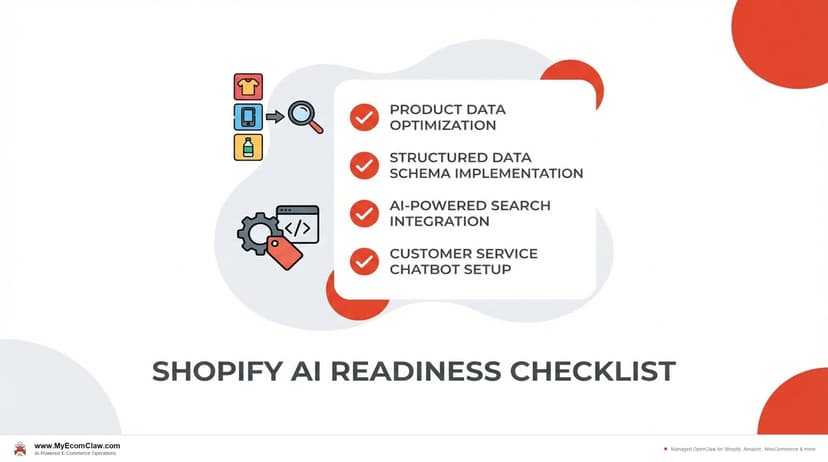
AI-Ready Shopify Checklist: 15 Fixes
AI shopping agents from ChatGPT, Google, and Perplexity are already recommending products. If your Shopify store isn’t structured for them, you’re invisible. Here are 15 things to fix before agents shop your store.
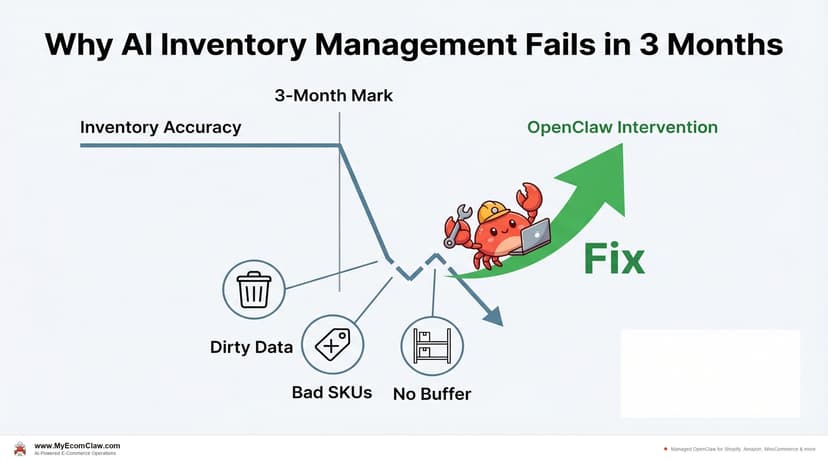
Why AI Inventory Fails in 3 Months
90% of merchants misunderstand AI for inventory. AI doesn’t fix bad data — it amplifies it. Here are the 5 most common failures and how.
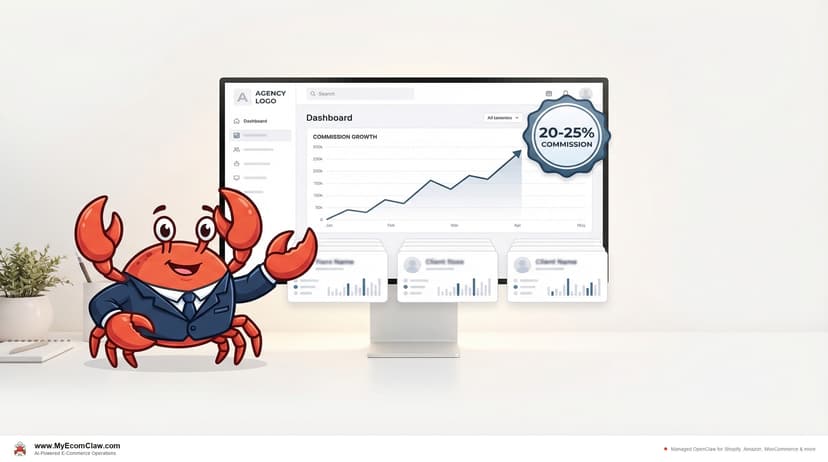
White-Label AI for Shopify Agencies
Shopify agencies can offer AI agents as their own branded product — without building any technology. White-label OpenClaw on the Scale plan: your.