AI Security for E-Commerce Stores

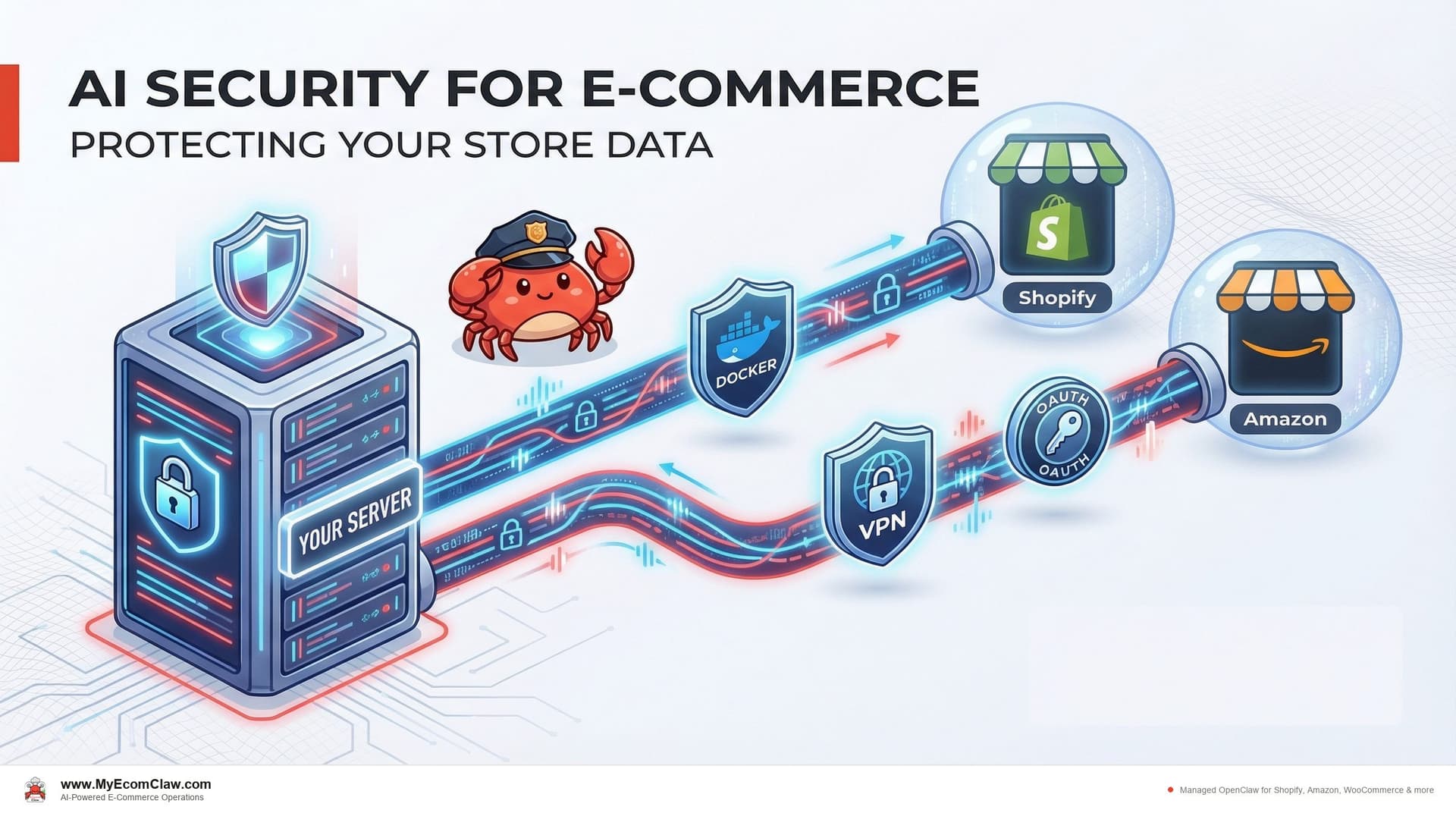
You installed a Shopify app last week. To work, it needed access to your orders, customers, inventory, and product data. You clicked "Approve" and moved on. Now your entire customer database — names, emails, addresses, purchase history — lives on that app vendor’s servers. Along with the data of every other merchant who clicked "Approve."
You don’t know where their servers are. You don’t know who has access. You don’t know if they encrypt at rest. You don’t know if they’ll be breached next month.
This isn’t hypothetical. In 2024 alone, three major Shopify app vendors disclosed data breaches affecting thousands of merchants. The merchants found out from news articles, not from the vendors.
The data exposure problem with SaaS AI tools
Every SaaS tool you connect to your store creates another copy of your data on someone else’s infrastructure. Here’s what a typical Shopify seller’s data footprint looks like:
| Tool | Data They Store | Where It Lives |
|---|---|---|
| Inventory sync app | All product data, stock levels, pricing | Vendor’s AWS/GCP servers |
| Support platform | Customer emails, names, order history, conversations | Vendor’s multi-tenant cloud |
| Marketing automation | Customer segments, purchase patterns, email addresses | Vendor’s data centers |
| Analytics tool | Full order history, revenue data, traffic patterns | Vendor’s servers (often with third-party sub-processors) |
| AI chatbot | Customer conversations, product catalog, order lookups | Vendor’s servers + LLM provider (OpenAI, etc.) |
| Total exposure | Your entire business data | 5+ different vendor infrastructures |
Each of those vendors has their own security posture, their own employee access policies, their own incident response plans. You have zero visibility into any of it.
On r/shopify, a seller asked: "How do I know if my apps are sharing my customer data?" The honest answer: you don’t. Most app privacy policies include language allowing them to share "anonymized" or "aggregated" data — which in practice often isn’t anonymous enough.
The AI layer makes this worse. When you use an AI tool for your store, your data doesn’t just sit in a database. It gets processed by large language models. Your customer support conversations, your product descriptions, your order patterns — all of it flows through an LLM. If that AI tool uses a shared API key (and most do), your data is comingled with every other merchant’s data in the same model context.
The irony: you spent years building customer trust and complying with privacy regulations. Then you handed all that data to 5 different SaaS vendors with a single "Approve" click.
How OpenClaw‘s security model is fundamentally different
OpenClaw’s architecture is designed around a single principle: your data never leaves your server.
This isn’t a marketing claim. It’s an architectural decision that affects every layer of the deployment. Here’s how it works:
Your server, your data
Every MyEcomClaw deployment runs on the client’s own server. Not a shared cloud instance. Not a multi-tenant environment. Your own dedicated server — either a VPS (virtual private server) or a physical Mac Mini.
| Element | How It Works |
|---|---|
| Deployment | OpenClaw is installed on YOUR server. We provision and configure it. |
| Data storage | All data is stored locally on your server as local files (OpenClaw’s local-first architecture). |
| Network | Your server connects directly to Shopify, Amazon, WooCommerce APIs. Data flows from platform to your server. Never through us. |
| Access | You have full SSH/admin access to your server. You can audit anything, anytime. |
| If you leave | You take everything — your server, your data, your agent configuration, your skills. OpenClaw is MIT licensed. |
There is no MyEcomClaw cloud that your data passes through. We deploy, configure, and maintain your OpenClaw instance on your server. We never have your store data on our infrastructure.
Container sandboxing — your Shopify customer data stays isolated
OpenClaw runs inside isolated containers on your server. This means your Shopify customer data, Amazon buyer information, and WooCommerce order records are protected by multiple layers of isolation:
Process isolation: Each agent runs in its own container. The Order Agent processing Shopify orders can’t access the Marketing Agent’s customer segmentation data. A vulnerability in one agent doesn’t compromise your Shopify customer PII in another.
Network isolation: Containers have restricted network access. They can reach your Shopify Admin API, Amazon SP-API, WooCommerce REST API, and your LLM provider — nothing else. No outbound connections to unknown endpoints. Your Shopify customer credit card data never touches the AI agent — Stripe handles payments on Shopify’s side, OpenClaw handles operations on yours.
File system isolation: Each container has its own file system. Your Shopify API credentials, Amazon SP-API keys, and WooCommerce consumer secrets are mounted with restricted permissions. Logs and Shopify order data are written to controlled volumes.
Resource limits: CPU and memory limits prevent any single agent from consuming all server resources during a Shopify traffic spike — protecting against runaway processes during BFCM or flash sales.
BYOK: Bring Your Own Key
Most AI tools use shared API keys to access language models. Your data goes through the same key as every other customer’s. The LLM provider (OpenAI, Anthropic, etc.) sees all of it through one aggregated account.
OpenClaw uses BYOK — Bring Your Own Key.
| Aspect | Shared Key (Most AI Tools) | BYOK (OpenClaw) |
|---|---|---|
| API key ownership | Vendor owns the key, you share it | You own your own key, stored on your server |
| Data visibility | LLM provider sees aggregated data from all vendor customers | LLM provider sees only YOUR data under YOUR account |
| Cost transparency | Markup hidden in subscription price | You see exact token usage and cost from your LLM provider dashboard |
| Key storage | On vendor’s server | On your server only. Never transmitted to MyEcomClaw. |
| If you change providers | Vendor controls the switch | You swap the key on your server. Done. |
| Rate limiting | Shared limits across all vendor customers | Your own rate limits based on your tier with the LLM provider |
How it works in practice:
- You create an API key with OpenAI, Anthropic, or your preferred LLM provider
- You store that key on your server (we help you set it up securely during onboarding)
- OpenClaw uses YOUR key to process YOUR data through YOUR LLM account
- You see your usage and costs directly on the LLM provider’s dashboard
- Your key never leaves your server. We never see it.
If you don’t want to manage your own API key, we offer managed AI credits as an optional add-on starting at $49/month. But the default — and the most secure option — is BYOK.
How we securely connect to your Shopify Admin API without exposing your API keys
Your OpenClaw agents connect to Shopify, Amazon, WooCommerce, and other platforms through their official APIs. Here’s exactly how each connection is secured — with Composio OAuth ensuring your Shopify credentials are never stored in plain text:
Shopify Admin API — your most sensitive connection
- Authentication: OAuth 2.0 with scoped access tokens via Composio. Your Shopify Admin API credentials are never stored in plain text — Composio OAuth handles the secure token exchange and storage.
- Permissions: We request only the Shopify scopes your agents need (read_orders, write_orders, read_inventory, write_inventory, read_customers, read_products). No access to your Shopify Payments financial data, Shopify Partner data, or staff account credentials.
- Token storage: Shopify OAuth tokens are stored on your server only, encrypted at rest. Never transmitted to MyEcomClaw. Your Shopify store’s Admin API access stays entirely within your infrastructure.
- Token rotation: Shopify access tokens can be rotated at any time from your Shopify admin panel. Your agent reconnects automatically — zero downtime for your Shopify order processing.
Amazon SP-API — securing your Amazon Seller Central data
- Authentication: LWA (Login with Amazon) OAuth with refresh tokens, managed through Composio
- Permissions: Role-based access — only the Amazon SP-API roles your agents need (Orders, Inventory, FBA). No access to your Amazon advertising data or financial reports unless explicitly configured.
- Token storage: Amazon refresh tokens stored on your server in encrypted configuration files. Your Amazon seller credentials never leave your infrastructure.
WooCommerce REST API — protecting your WooCommerce customer records
- Authentication: Consumer key/secret with per-endpoint permissions
- Permissions: Read/write access scoped to WooCommerce orders, inventory, customers, and products. No access to your WooCommerce payment gateway credentials or WordPress admin.
- Key storage: WooCommerce consumer keys stored on your server only, with restricted file permissions (600)
The key difference for Shopify sellers
With SaaS Shopify apps, your Shopify Admin API OAuth tokens are stored on the app vendor’s infrastructure. If their systems are breached, attackers get access to your Shopify store — your customer names, emails, addresses, order history, and inventory data. With OpenClaw, your Shopify tokens live on your server. Your Amazon SP-API credentials live on your server. Your WooCommerce keys live on your server. The only way to access them is through your server — which you control.
Your Shopify API keys, your server, your control. Composio OAuth means your Shopify Admin API credentials are never stored in plain text. Your Amazon SP-API keys and WooCommerce secrets stay on your infrastructure. See our security architecture → or request a security audit →
Talk to your agent on WhatsApp — security monitoring included
Security isn’t just about architecture — it’s about visibility. Here’s what security monitoring looks like when your OpenClaw agents are running:
Security alert example:
Yes, generate the log. And keep the rate limit in place until I review.
✅ Security log generated — 847 events, 3 flagged as anomalous. Sent to your email as encrypted PDF. Rate limit remains active.
Weekly security summary:
Your Agent (WhatsApp, Monday 8:00 AM): 🔐 Weekly security summary:
- API calls this week: 12,847 (Shopify: 8,234 | Amazon: 3,102 | WooCommerce: 1,511)
- Failed auth attempts: 0
- Rate limit triggers: 2 (both during Thursday’s flash sale — expected)
- Container restarts: 1 (scheduled maintenance, Saturday 3 AM)
- Container image updates: 0 pending
- SSL certificates: All valid, nearest expiry in 67 days
Overall security status: ✅ Healthy
You get security visibility without needing to SSH into your server or parse log files. Your agent monitors its own infrastructure and reports to you in plain language on WhatsApp.
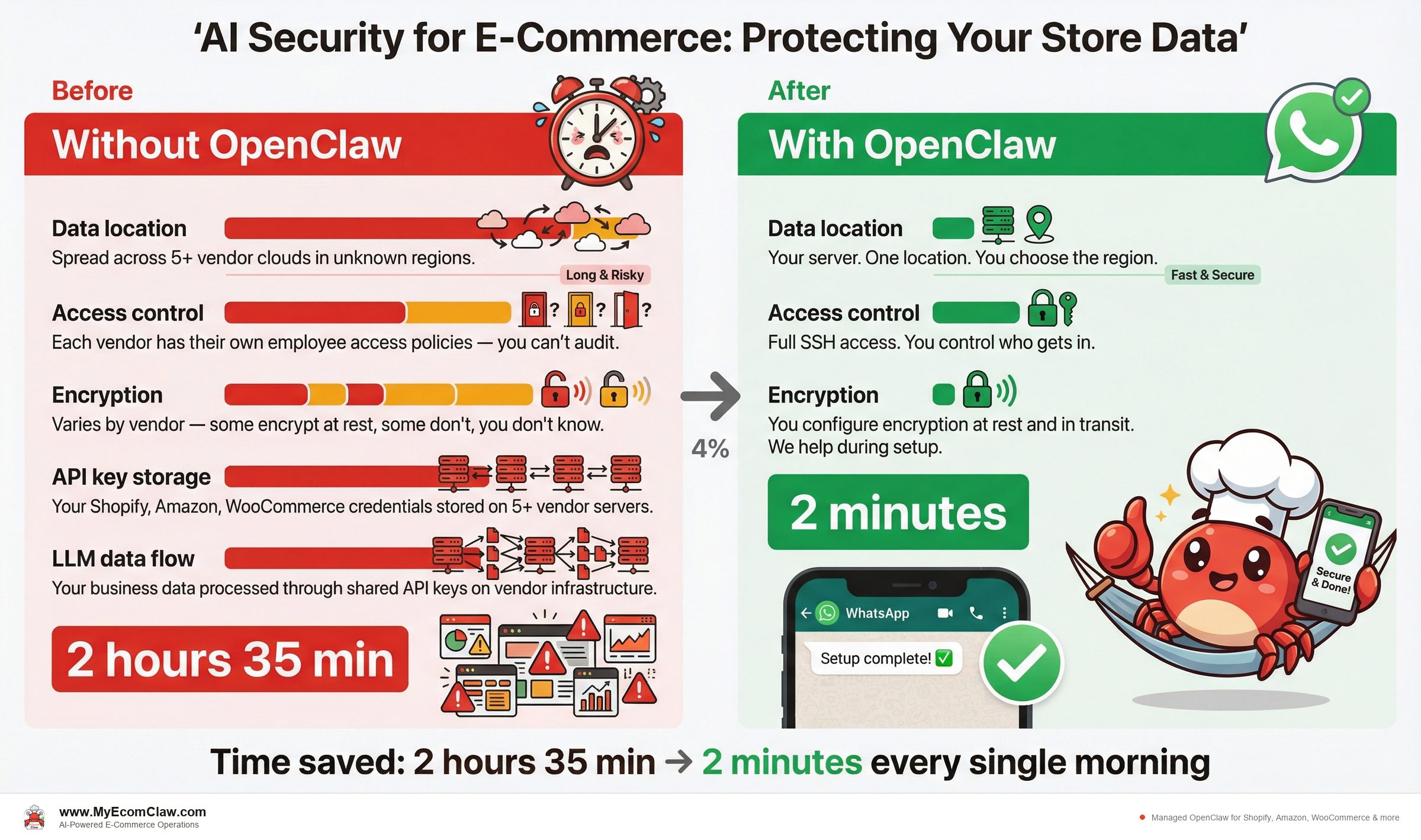
Before and after: data security posture
Before: Typical SaaS app stack security
| Security Aspect | Your Current Situation |
|---|---|
| Data location | Spread across 5+ vendor clouds in unknown regions |
| Access control | Each vendor has their own employee access policies — you can’t audit |
| Encryption | Varies by vendor — some encrypt at rest, some don’t, you don’t know |
| API key storage | Your Shopify, Amazon, WooCommerce credentials stored on 5+ vendor servers |
| LLM data flow | Your business data processed through shared API keys on vendor infrastructure |
| Breach notification | Depends on vendor — some notify in days, some in months, some never |
| Audit capability | Zero. You can’t audit vendor infrastructure. |
| Data portability | Each vendor has different export formats. Some charge for data export. |
| Compliance | You’re responsible for GDPR/CCPA compliance, but your data is on their servers |
After: OpenClaw on your server
| Security Aspect | With MyEcomClaw |
|---|---|
| Data location | Your server. One location. You choose the region. |
| Access control | Full SSH access. You control who gets in. |
| Encryption | You configure encryption at rest and in transit. We help during setup. |
| API key storage | All credentials on your server only. Never transmitted externally. |
| LLM data flow | Your data, your API key, your LLM account. No shared keys. |
| Breach notification | Nothing to breach on our side — your data isn’t on our infrastructure. |
| Audit capability | Full. SSH in, check any log, review any configuration. |
| Data portability | Everything is on your server. OpenClaw is MIT licensed. Take it and go. |
| Compliance | Your data is on your infrastructure. You control the compliance posture. |
🔥 The security comparison is not subtle:
- SaaS stack: Your data on 5+ vendor servers. Zero audit capability. Shared API keys. Breach risk multiplied by every vendor.
- OpenClaw on your server: One server. Full control. BYOK. Complete audit trail. MIT licensed.
- The only data we have: Your billing information (processed by Stripe) and your support conversations with our team. That’s it.
The cost of a data breach vs. the cost of doing it right
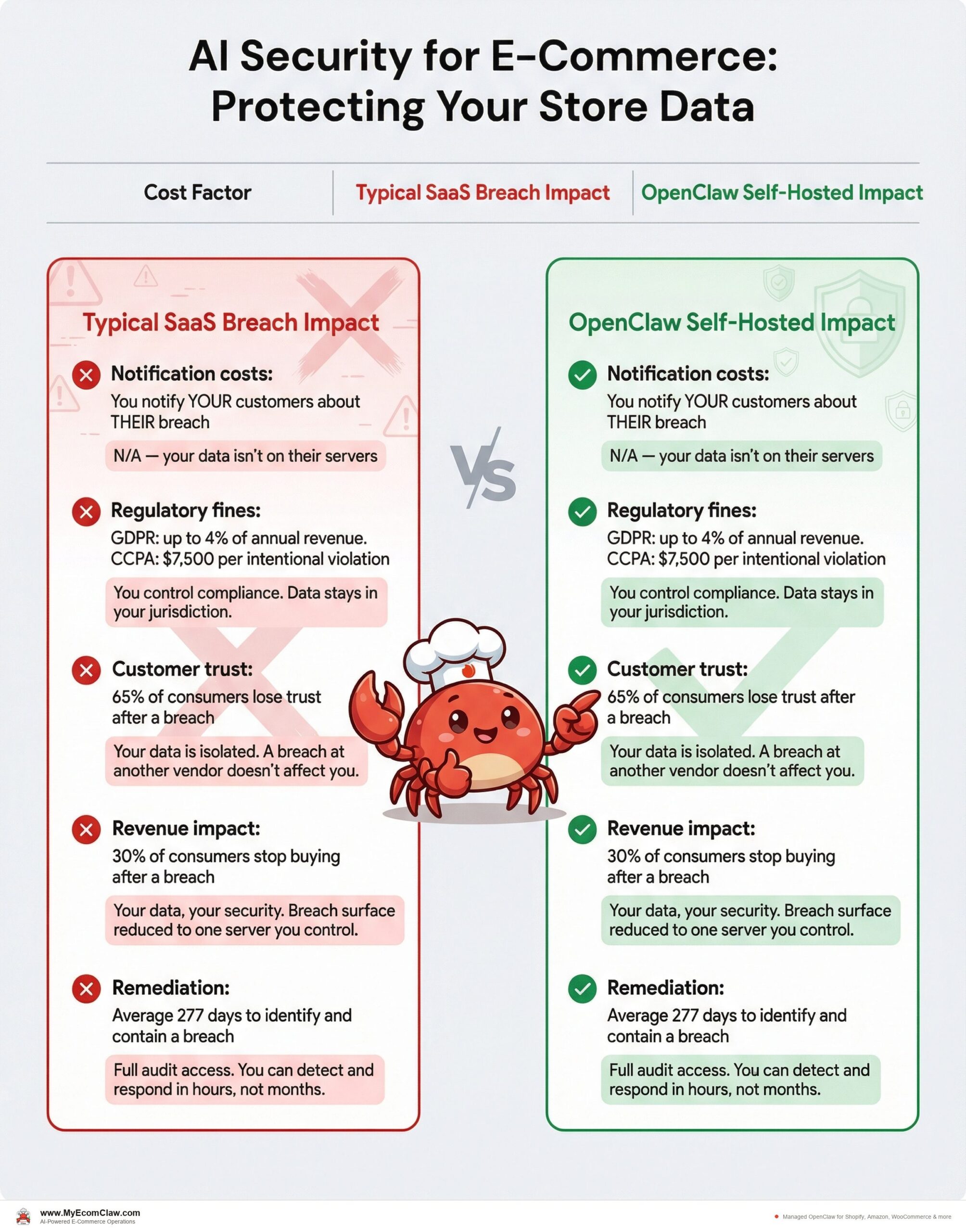
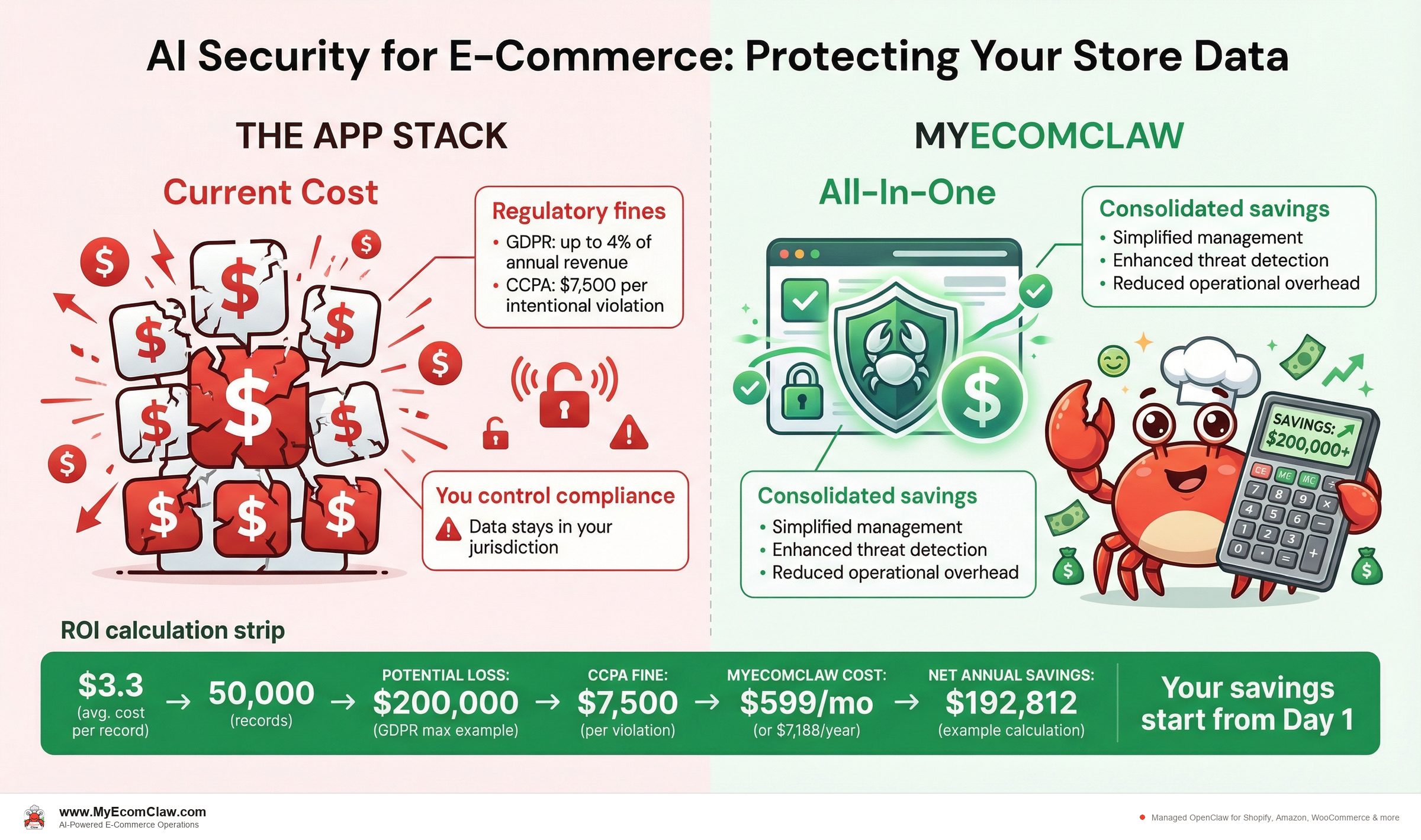
According to IBM’s Cost of a Data Breach Report 2025, the average cost of a data breach for a small-to-mid-size e-commerce company is $3.3 million. Even for small merchants, a breach involving customer payment data can cost $50,000-$200,000 in fines, legal fees, and lost revenue.
| Cost Factor | Typical SaaS Breach Impact | OpenClaw Self-Hosted Impact |
|---|---|---|
| Notification costs | You notify YOUR customers about THEIR breach | N/A — your data isn’t on their servers |
| Regulatory fines | GDPR: up to 4% of annual revenue. CCPA: $7,500 per intentional violation | You control compliance. Data stays in your jurisdiction. |
| Customer trust | 65% of consumers lose trust after a breach | Your data is isolated. A breach at another vendor doesn’t affect you. |
| Revenue impact | 30% of consumers stop buying after a breach | Your data, your security. Breach surface reduced to one server you control. |
| Remediation | Average 277 days to identify and contain a breach | Full audit access. You can detect and respond in hours, not months. |
The preventive math:
- MyEcomClaw Growth plan: $599/month ($7,188/year)
- Average cost of even a minor data incident: $50,000+
- Cost of maintaining security across 5 separate SaaS vendors: uncontrollable
- Cost of maintaining security on your own server with OpenClaw: controllable, auditable, and significantly lower risk
MyEcomClaw Growth plan costs $599/month ($7,188/year). The average cost of even a minor data incident for a small e-commerce company is $50,000+. Container sandboxing, BYOK API keys, and full audit access on your own server — the security math isn’t close. See plans →
Infrastructure hardening: protecting your Shopify store data on your server
When we deploy OpenClaw on your server, we don’t just install containers and walk away. Here’s the security hardening we perform during setup — specifically designed to protect your Shopify customer data, Amazon buyer information, and WooCommerce order records:
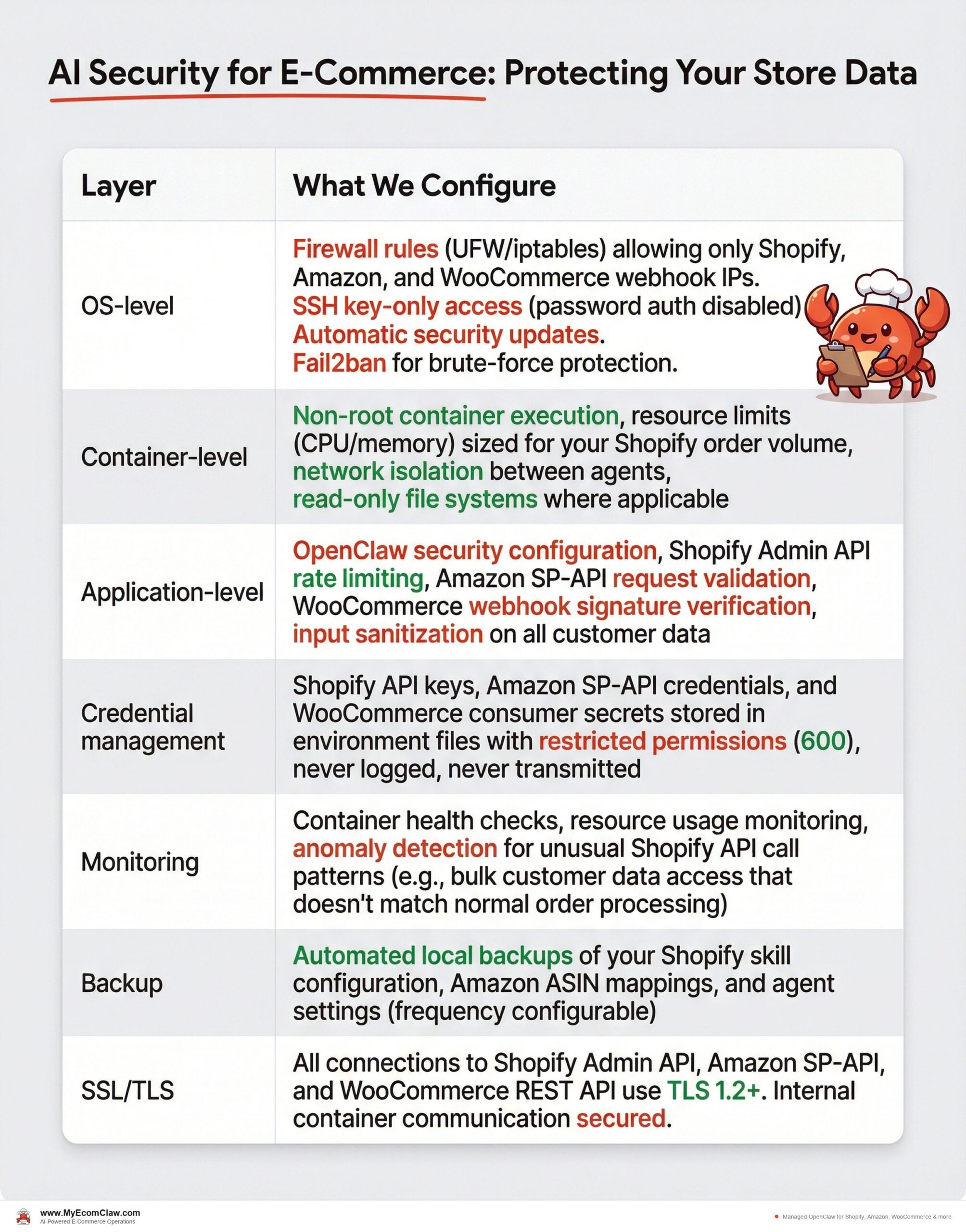
| Layer | What We Configure |
|---|---|
| OS-level | Firewall rules (UFW/iptables) allowing only Shopify, Amazon, and WooCommerce webhook IPs. SSH key-only access (password auth disabled). Automatic security updates. Fail2ban for brute-force protection. |
| Container-level | Non-root container execution, resource limits (CPU/memory) sized for your Shopify order volume, network isolation between agents, read-only file systems where applicable |
| Application-level | OpenClaw security configuration, Shopify Admin API rate limiting, Amazon SP-API request validation, WooCommerce webhook signature verification, input sanitization on all customer data |
| Credential management | Shopify API keys, Amazon SP-API credentials, and WooCommerce consumer secrets stored in environment files with restricted permissions (600), never logged, never transmitted |
| Monitoring | Container health checks, resource usage monitoring, anomaly detection for unusual Shopify API call patterns (e.g., bulk customer data access that doesn’t match normal order processing) |
| Backup | Automated local backups of your Shopify skill configuration, Amazon ASIN mappings, and agent settings (frequency configurable) |
| SSL/TLS | All connections to Shopify Admin API, Amazon SP-API, and WooCommerce REST API use TLS 1.2+. Internal container communication secured. |
What we do NOT have access to after deployment:
- Your Shopify customer data (names, emails, addresses, purchase history)
- Your Amazon buyer information and order data
- Your WooCommerce customer records and payment details
- Your API keys (Shopify Admin API, Amazon SP-API, WooCommerce, LLM providers)
- Your agent’s conversation history with customers
- Your business analytics and revenue data
We have maintenance access to your server (with your permission) to perform updates, security patches, and troubleshooting. You can revoke this access at any time.
Your server. Your Shopify data. Your Amazon data. Your WooCommerce data. We’re the mechanics, not the store owners. We tune the engine, but we never see your customer information.
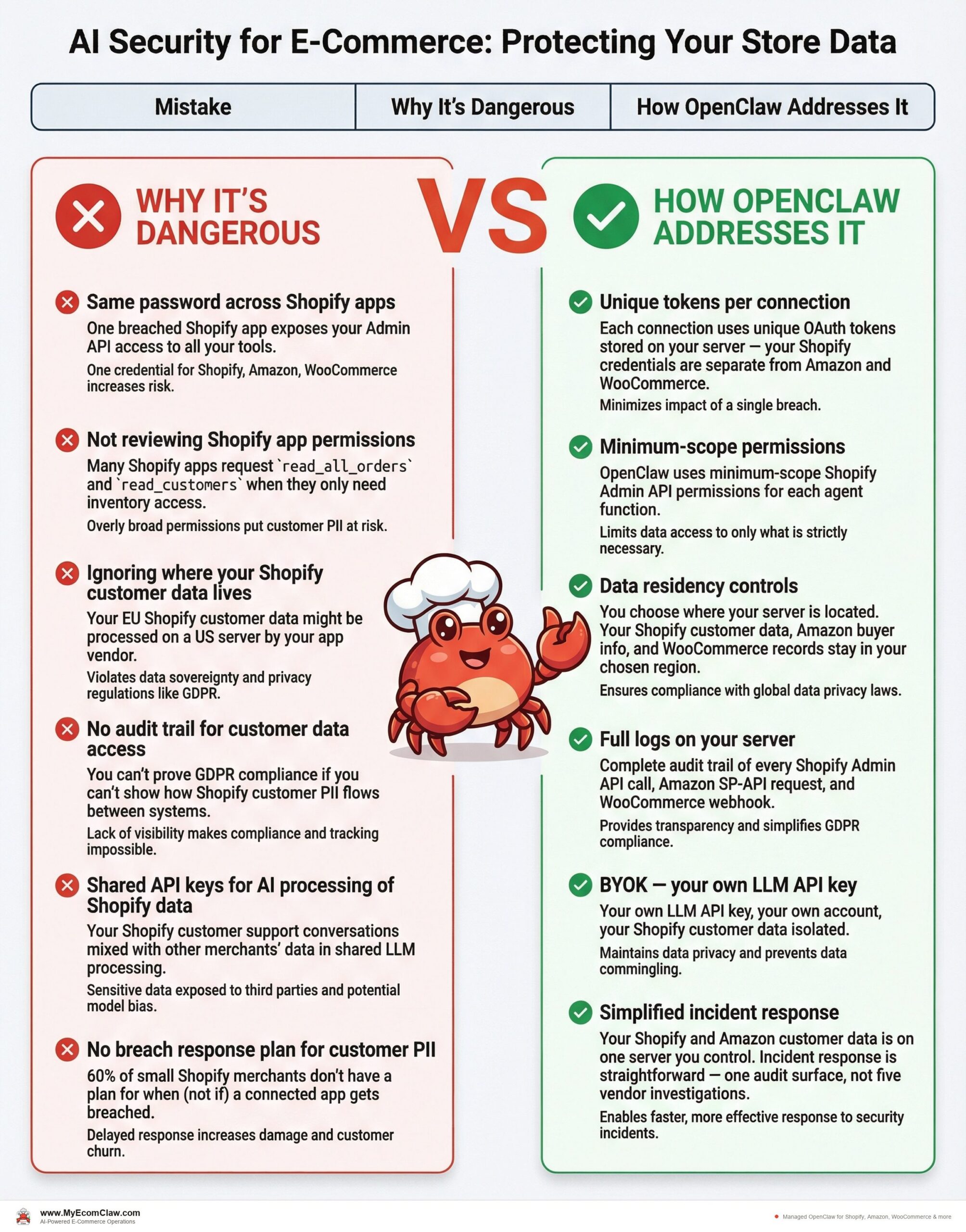
Common security mistakes Shopify, Amazon, and WooCommerce sellers make (and how to avoid them)
| Mistake | Why It’s Dangerous | How OpenClaw Addresses It |
|---|---|---|
| Same password across Shopify apps | One breached Shopify app exposes your Admin API access to all your tools | Each connection uses unique OAuth tokens stored on your server — your Shopify credentials are separate from Amazon and WooCommerce |
| Not reviewing Shopify app permissions | Many Shopify apps request read_all_orders and read_customers when they only need inventory access |
OpenClaw uses minimum-scope Shopify Admin API permissions for each agent function |
| Ignoring where your Shopify customer data lives | Your EU Shopify customer data might be processed on a US server by your app vendor | You choose where your server is located. Your Shopify customer data, Amazon buyer info, and WooCommerce records stay in your chosen region. |
| No audit trail for customer data access | You can’t prove GDPR compliance if you can’t show how Shopify customer PII flows between systems | Full logs on your server. Complete audit trail of every Shopify Admin API call, Amazon SP-API request, and WooCommerce webhook. |
| Shared API keys for AI processing of Shopify data | Your Shopify customer support conversations mixed with other merchants’ data in shared LLM processing | BYOK — your own LLM API key, your own account, your Shopify customer data isolated |
| No breach response plan for customer PII | 60% of small Shopify merchants don’t have a plan for when (not if) a connected app gets breached | Your Shopify and Amazon customer data is on one server you control. Incident response is straightforward — one audit surface, not five vendor investigations. |
Why this matters for your Shopify business
Data security isn’t just about preventing breaches. It’s about customer trust, regulatory compliance, and business continuity — especially when your Shopify store handles customer names, emails, shipping addresses, and purchase history every single day.
If you sell in the EU through your Shopify store, GDPR requires you to know where your Shopify customer data is processed and stored. With 5 SaaS Shopify apps, you’re managing 5 different data processing agreements, 5 different sub-processor lists, and 5 different breach notification obligations — for customer data that originated from a single Shopify order. Multiply that by Amazon buyer data and WooCommerce customer records, and your compliance surface is enormous. With OpenClaw on your own server, you have one data processing location, one audit surface, and complete control over your Shopify, Amazon, and WooCommerce customer data.
The Shopify sellers who build lasting businesses are the ones who treat customer data as a responsibility, not an afterthought. Every Shopify app you install, every Amazon integration you connect, every WooCommerce plugin you activate is another trust delegation. OpenClaw brings that trust back under your control.
Our take
The e-commerce industry has normalized an extraordinarily risky security posture. Sellers routinely hand their entire customer database, order history, and business intelligence to 5-10 different SaaS vendors — each with their own security practices, their own vulnerabilities, their own breach timelines.
AI makes this worse, not better. When your AI tool processes customer data through shared API keys on shared infrastructure, you’ve added another layer of exposure that didn’t exist before.
OpenClaw’s "your server" model isn’t a marketing gimmick. It’s an architectural choice that eliminates an entire category of risk. Your Shopify customer data doesn’t leave your server. Your Amazon buyer information doesn’t leave your server. Your WooCommerce order records don’t leave your server. Your Shopify Admin API keys, Amazon SP-API credentials, and WooCommerce secrets don’t leave your server. Your LLM interactions use your own API key. There is no MyEcomClaw cloud to breach. Container sandboxing isolates each agent. You have full SSH access to audit everything. That’s not a feature list — it’s a fundamentally different security model for Shopify, Amazon, and WooCommerce data.
If you’re running AI tools on your Shopify store, the question isn’t whether your customer data is secure. It’s whether you can verify it. With OpenClaw on your server, you can. See plans → · Request a security audit →
FAQ
Does MyEcomClaw ever have access to my Shopify customer data?
No. Your Shopify customer data — names, emails, shipping addresses, purchase history — is stored on your server. Same for your Amazon buyer data and WooCommerce customer records. We deploy and configure OpenClaw on your infrastructure, but your store data stays on your server. We have maintenance access to perform updates and troubleshooting (with your permission), but we do not access, copy, or store your Shopify, Amazon, or WooCommerce business data. You can revoke our maintenance access at any time.
What happens to my data if I cancel MyEcomClaw?
Everything stays on your server. OpenClaw is MIT licensed — it’s fully open source. Your agents, your skills, your configuration, your data — it all belongs to you. You can continue running OpenClaw independently. There is no data deletion, no export fee, no lock-in. See our no-lock-in guarantee →.
How is BYOK different from managed AI credits?
With BYOK (Bring Your Own Key), you create your own API key with OpenAI, Anthropic, or another LLM provider. That key is stored on your server and used exclusively for your agent’s operations. You see usage and cost directly on the provider’s dashboard. With managed credits, we provide an API key as part of an add-on package — it’s convenient but means we handle the key. BYOK is the default and the most secure option. Compare AI credit options →.
Can I audit my server and see what data is stored?
Yes. You have full SSH/admin access to your server. You can log in at any time, inspect any file, review any log, check any configuration. OpenClaw’s local-first architecture means data is stored as readable files — not in a proprietary database format. You can audit everything from the command line.
Is my data encrypted?
We configure TLS 1.2+ for all external connections (to Shopify Admin API, Amazon SP-API, WooCommerce REST API, and your LLM provider). For data at rest, encryption depends on your server setup — we configure disk encryption during setup if your infrastructure supports it. Container volumes storing your Shopify order data and Amazon buyer information can be encrypted. Your Shopify API keys and Amazon credentials are stored in environment files with restricted file permissions (600). Discuss encryption options for your deployment →.
What compliance certifications does MyEcomClaw have?
MyEcomClaw is a managed deployment service — we deploy open-source software (OpenClaw) on your infrastructure. Because your data stays on your server, the compliance posture is primarily determined by your own infrastructure choices. We help you configure your deployment to meet GDPR, CCPA, and PCI awareness requirements. For merchants needing formal compliance documentation, we offer a Security & Compliance Audit as a one-time service ($699). Learn about compliance options →.
How do containers protect my Shopify and Amazon data?
Containers provide process isolation (your Shopify Order Agent runs independently from your Amazon Inventory Agent), network isolation (containers can only reach configured endpoints like the Shopify Admin API and Amazon SP-API), file system isolation (agents can’t access each other’s customer data), and resource limits (no single agent can consume all server resources during a Shopify traffic spike). If one container is compromised, your Shopify customer data in other containers remains isolated. This is a defense-in-depth approach — multiple layers of protection rather than a single perimeter.
Ready to bring your Shopify store data back under your control?
MyEcomClaw deploys OpenClaw on your own server. Container sandboxed. BYOK API keys. Composio OAuth for your Shopify Admin API. Full SSH access. Your Shopify customer data, Amazon buyer info, and WooCommerce records never leave your infrastructure. MIT licensed. No lock-in.
More from Guides
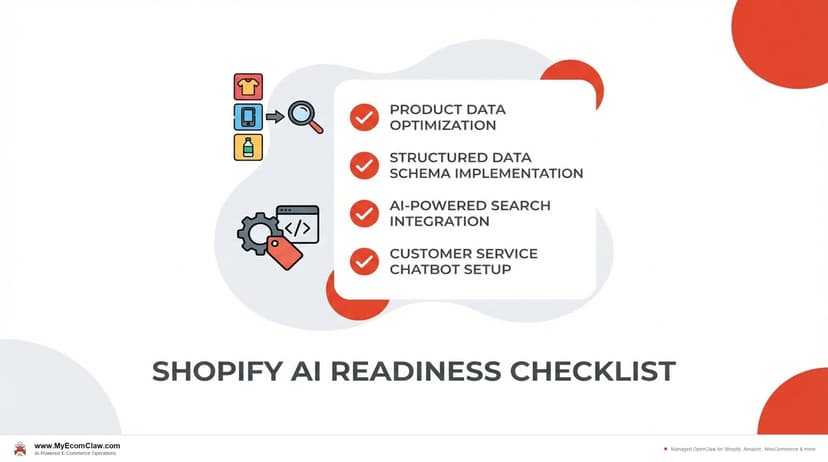
AI-Ready Shopify Checklist: 15 Fixes
AI shopping agents from ChatGPT, Google, and Perplexity are already recommending products. If your Shopify store isn’t structured for them, you’re invisible. Here are 15 things to fix before agents shop your store.
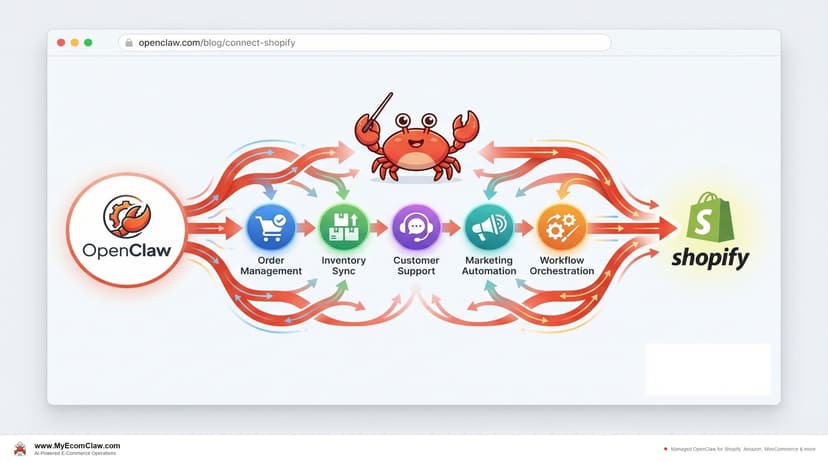
Connect OpenClaw to Shopify (2026 Guide)
OpenClaw has 191K+ GitHub stars — but connecting it to Shopify takes Admin API credentials, Composio OAuth, MCP configuration, and a week of DevOps.
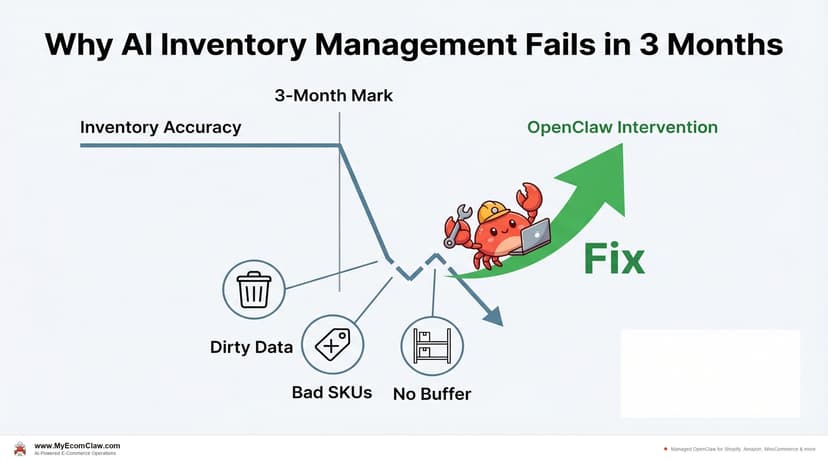
Why AI Inventory Fails in 3 Months
90% of merchants misunderstand AI for inventory. AI doesn’t fix bad data — it amplifies it. Here are the 5 most common failures and how.