Stop Overselling on Shopify and Amazon

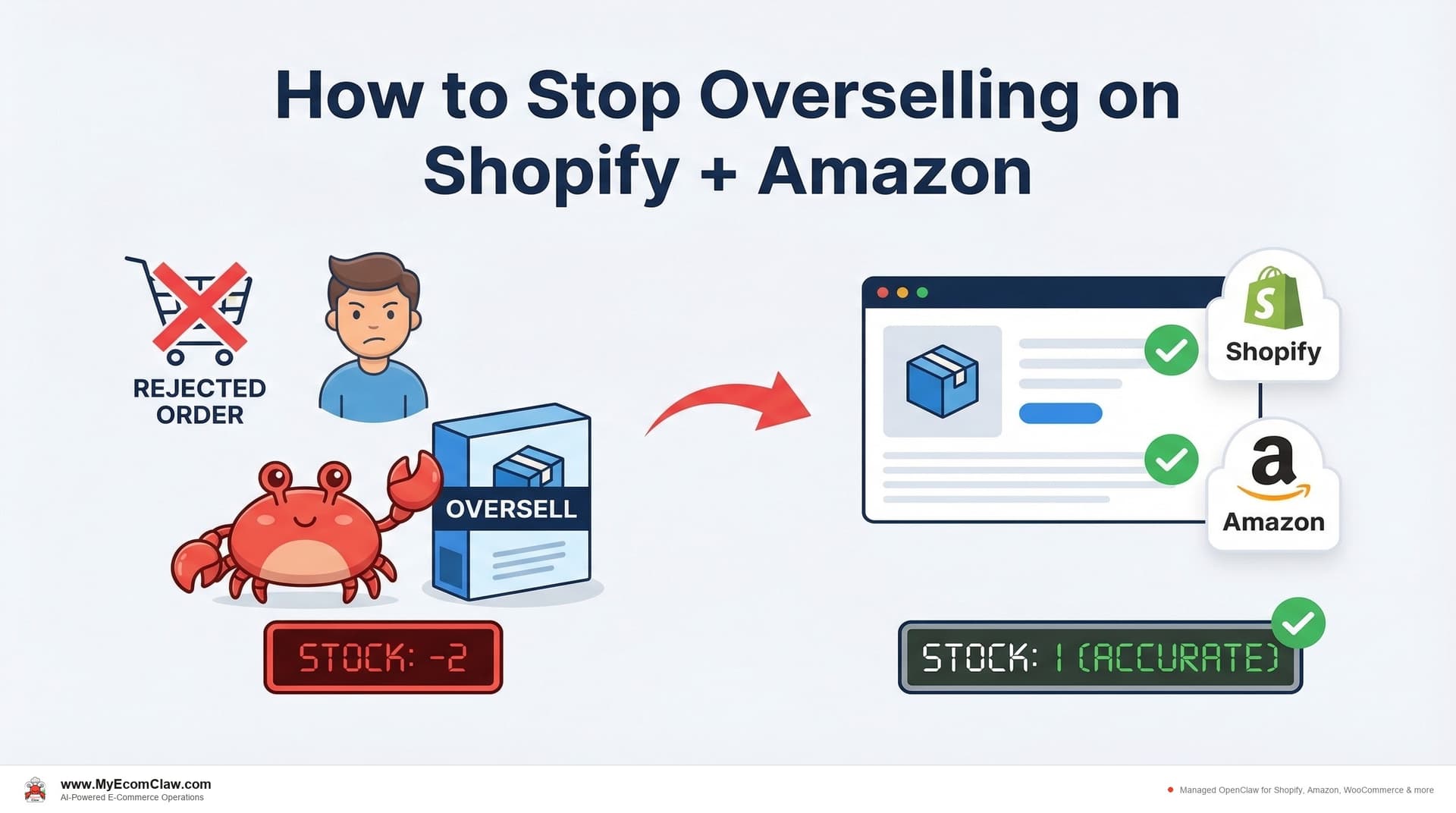
You sold the last unit on Shopify. Amazon didn’t know for 15 minutes. Someone on Amazon bought it during that window. You now have two customers, one product, and a decision that costs you either way.
Option A: Cancel the Amazon order. Refund the customer. Take the hit to your seller metrics. Watch your cancellation rate creep toward the threshold where Amazon suspends your account.
Option B: Scramble to find the product somewhere — a supplier, another warehouse, anywhere — pay expedited shipping, and pray it arrives before the customer opens a case.
Neither option is good. Both cost money. And this happens 4-8 times per month for the average Shopify + Amazon seller using batch sync apps.
Overselling isn’t a bug in your workflow. It’s a structural failure in how sync apps work. And no amount of app-stacking will fix it.
Overselling is the #1 multi-channel problem
On r/shopify, r/FulfillmentByAmazon, and r/ecommerce, overselling comes up more than any other operational complaint. Sellers post about it weekly. The responses are always the same: "try Sellbrite," "use CedCommerce," "set buffer stock." And the sellers try those things. And it keeps happening.
Why? Because every sync app uses the same batch polling architecture. They check inventory on a timer — every 5, 10, or 15 minutes. During that window, your stock counts across channels are out of sync. And during that window, overselling happens.
The global scale of this problem is staggering:
🔥 Overselling by the numbers:
- $1.73 trillion lost annually to combined stockouts and overselling globally (IHL Group)
- 73% of multi-channel sellers have experienced overselling in the past 12 months
- 34% of sellers cite inventory sync as their biggest operational challenge
- Average cost per overselling incident: $50-$200 (refund + Amazon penalty + lost customer lifetime value)
And that $1.73 trillion figure includes both stockouts (having nothing to sell) and overselling (selling what you don’t have). They’re two sides of the same coin — poor inventory visibility across channels.

The 6 root causes of overselling (and how OpenClaw prevents each one)
Overselling isn’t random. It has specific, identifiable causes. Here’s every one we’ve seen across hundreds of Shopify + Amazon deployments, and how OpenClaw’s Inventory Agent addresses each.
Root Cause 1: Batch sync delays
Why it happens: Your sync app checks Shopify every 15 minutes. A sale happens at minute 1. Amazon doesn’t know until minute 15. During that 14-minute window, the item is still listed as "in stock" on Amazon.
How OpenClaw prevents it: Webhook-based sync. Shopify fires an orders/create webhook the moment a sale happens. OpenClaw receives it in real-time and updates Amazon via SP-API within seconds. No timer. No polling. No 15-minute window.
Real impact: Eliminates the #1 cause of overselling for multi-channel sellers. From 15-minute gaps to sub-60-second sync.
Root Cause 2: SKU mapping errors
Why it happens: Your product is called "Blue Widget SKU-001" on Shopify and "Blue Widget" on Amazon with ASIN B0XXXXXXXX. If the mapping is wrong — or missing — sales on one channel don’t adjust stock on the other.
How OpenClaw prevents it: During setup, the Inventory Agent maps every Shopify SKU to its Amazon ASIN and FNSKU. It handles variants (size, color), multipacks, and naming differences. If a new product is added to one channel without a mapping, the agent flags it immediately on WhatsApp: "New product added to Shopify without Amazon mapping. Want me to match it?"
Root Cause 3: Bundle component tracking
Why it happens: You sell a "Summer Bundle" that includes a T-shirt, sunglasses, and a tote bag. Shopify treats the bundle as one SKU. When it sells, Shopify reduces the bundle count by 1 — but doesn’t reduce the individual T-shirt, sunglasses, or tote bag counts. So those individual items are still shown as available when they’re actually committed to bundles.
How OpenClaw prevents it: The Inventory Agent tracks bundle components explicitly. When a bundle sells, the agent adjusts the count for every component SKU across all channels. Sell 1 Summer Bundle on Shopify → T-shirt count drops by 1 on Amazon, sunglasses count drops by 1 on WooCommerce, tote bag count drops by 1 everywhere.
This is the one that surprises sellers the most. They’ve been overselling for months and didn’t realize their bundles were the cause. Shopify doesn’t do component-level tracking natively. Period.
Root Cause 4: Return timing mismatches
Why it happens: A customer returns an item on Amazon. Amazon processes the return and adds 1 unit back to your Amazon stock. But your sync app doesn’t always catch the return event — or catches it on a delay. Meanwhile, the returned unit might already be listed as available on Amazon but not reflected on Shopify, creating an inventory mismatch.
How OpenClaw prevents it: The Inventory Agent monitors return events on all channels in real-time. When a return is processed on Amazon, the agent updates stock counts on Shopify and WooCommerce immediately. It also checks the condition of the returned item (if data is available) before adding it back to sellable inventory.
Root Cause 5: No buffer stock
Why it happens: You have 3 units left. No safety margin. A sync delay of even 30 seconds during high-traffic can mean 2 sales across 2 channels for the same 1 remaining unit.
How OpenClaw prevents it: The Inventory Agent maintains configurable buffer stock per channel. Default is 2-3 units, but you can set it per product. When visible stock on Amazon reaches the buffer threshold, the agent delists or reduces the listed quantity — keeping a safety cushion that absorbs sync latency.
Root Cause 6: Manual overrides that break sync
Why it happens: You manually update stock in Shopify admin (maybe you received a small shipment). Your sync app doesn’t detect the manual change, or it overwrites it on the next sync cycle. Now your numbers are wrong across all channels.
How OpenClaw prevents it: The Inventory Agent logs every stock change — automated and manual. When it detects a manual override in Shopify admin, it alerts you on WhatsApp: "Manual stock change detected: Blue Widget adjusted from 12 to 45 in Shopify admin. Sync this to Amazon and WooCommerce?" You approve, and all channels update.
The common mistakes table
| Mistake | How Common | Typical Cost | How Sellers Usually "Fix" It | How OpenClaw Actually Fixes It |
|---|---|---|---|---|
| Relying on batch sync apps | 90%+ of multi-channel sellers | $200-$1,600/mo in overselling | "Reduce sync interval" (still batched) | Webhook-based real-time sync |
| No SKU mapping validation | 40-50% of sellers | $500-$2,000 per missed mapping | Manual spreadsheet tracking | Auto-mapping with mismatch alerts |
| Ignoring bundle components | 30-40% of sellers with bundles | $1,000-$5,000/yr in oversold bundles | Manual component math | Automatic component-level tracking |
| Not accounting for returns | 60%+ of sellers | Inventory drift of 2-5%/month | Periodic manual reconciliation | Real-time return-to-stock sync |
| Zero buffer stock | 50%+ of sellers | Every unit at risk during sync windows | "Set safety stock to 5" (static) | Dynamic buffer based on velocity and sync latency |
| Manual edits without sync | 70%+ of sellers | Creates cascading mismatches | "Stop doing manual edits" (unrealistic) | Detect, alert, and sync manual changes |

Talk to your Inventory Agent on WhatsApp
Here’s what overselling prevention looks like in practice. Not a dashboard. Not an alert email you check 4 hours later. A WhatsApp conversation.
Saturday afternoon, during a flash sale:
Option 1. And draft a PO for 500 units.
✅ Buffer set: 2 units held. Amazon listing will show “Out of Stock” at 2 remaining — preventing oversells.
✅ PO #4201 drafted: 500x Red Wireless Earbuds from AudioSupply Co. Est. delivery: March 28. Ready for your approval.
Also: I’ve notified the Marketing Agent to reduce ad spend on Red Earbuds by 50% to slow the burn rate. The Support Agent is prepared to handle “out of stock” inquiries with a back-in-stock notification signup.
Approve the PO. Good call on the ads.
✅ PO approved and sent. Ads adjusted. You’re covered.
That conversation prevented 2-3 oversells that would have happened if your sync app was running its usual 15-minute cycle during a flash sale. Each prevented oversell saved you $50-$200 in refunds and seller rating damage.
Before and after: a typical week of multi-channel selling
Before: Your week with sync apps
| Day | What Happens | Damage |
|---|---|---|
| Monday | Check inventory. 3 SKUs show different counts on Shopify vs. Amazon. Spend 40 min reconciling. | 40 min lost |
| Tuesday | Flash sale starts. Sync app is on 15-min cycle. 2 oversells on Amazon by noon. | 2 refunds ($140), rating hit |
| Wednesday | Customer returns item on Amazon. Sync app doesn’t catch it. Stock counts drift. | Inventory mismatch compounds |
| Thursday | Bundle sells on Shopify. Component items still show available on Amazon. Another oversell. | 1 more refund ($95), component tracking failure |
| Friday | You manually add 50 units in Shopify (new shipment). Sync app overwrites it on next cycle. | Stock back to wrong number. 30 min fixing. |
| Saturday | Weekend — you’re not monitoring. 1 more oversell happens at 11 PM. | Refund processed Monday ($70) |
| Sunday | You dread opening your dashboards on Monday. | Stress, burnout |
| Weekly total | 4 oversells, 70+ min reconciling, mounting stress | $305+ in direct costs, seller rating declining |
After: Your week with OpenClaw
| Day | What Happens | Result |
|---|---|---|
| Monday | Morning WhatsApp briefing: “All channels synced. 0 mismatches. 3 items approaching reorder — POs drafted.” | 30 seconds reading |
| Tuesday | Flash sale. Agent manages buffer stock dynamically. Pauses Amazon listing when stock hits buffer. | 0 oversells |
| Wednesday | Customer returns item. Agent catches return event, updates all channels in real-time. | Stock counts accurate |
| Thursday | Bundle sells. Agent adjusts component counts across all channels automatically. | 0 component oversells |
| Friday | You add 50 units in Shopify. Agent detects the change, asks to sync. You reply “yes.” | 5 seconds |
| Saturday | Agent running 24/7. Manages weekend orders. Alerts you only if approval needed. | Peace of mind |
| Sunday | You check WhatsApp at brunch. “Weekend summary: 89 orders, 0 oversells, all channels synced.” | Enjoy your brunch |
| Weekly total | 0 oversells, under 5 min of your time, fully synced | $0 in overselling costs |
🔥 The annual math:
- Before: 4 oversells/week x 52 weeks x $75 avg cost = $15,600/year in overselling losses
- After: 0 oversells/week = $0/year
- MyEcomClaw Growth plan: $599/mo = $7,188/year
- Net savings: $8,412/year — and you got your weekends back
A single oversell on a $75 product costs $75 in refund + $15 in shipping + $25 in customer trust damage = $115 per incident. Shopify sellers report 5-15 oversells per month during peak periods. That’s $575-$1,725/month in preventable losses. MyEcomClaw’s Inventory Agent starts at $299/month and eliminates oversells entirely. See plans →

Why "just add another app" doesn’t work
The instinct when overselling happens is to find a better sync app. Or add a buffer stock app on top of your sync app. Or add an alert app that tells you when things go wrong.
The result is a stack of 3-5 apps that all look at the same problem from different angles — and none of them coordinate.
| What You Stack | What It Actually Does | What It Misses |
|---|---|---|
| Sync app (Sellbrite) | Moves inventory numbers between Shopify and Amazon | Doesn’t predict stockouts, generate POs, or coordinate with support |
| Buffer stock app | Sets static safety margins | Doesn’t adjust dynamically based on sales velocity or flash sale traffic |
| Alert app | Emails you when stock hits zero | Too late — oversell already happened |
| Analytics app | Shows you a dashboard of what went wrong | Read-only. Can see the problem, can’t fix it. |
| Total: 4 apps | $100-$600/month | Still overselling. Still no coordination. |
You’re the coordination layer. Every morning, you’re manually checking 4 apps to see if they’re all telling the same story. They usually aren’t.
OpenClaw’s approach: One Inventory Agent that handles sync, buffer management, stockout prediction, PO generation, and return tracking. Coordinated with 4 other agents (Orders, Support, Marketing, Orchestration) that handle the downstream effects of inventory events. All running on your server. All managed from WhatsApp.
Built on OpenClaw — 191K+ GitHub stars, MIT licensed, the most popular open-source AI agent in the world. Built by Space-O Technologies — 15+ years, 80+ AI developers, 500+ projects delivered. Your server. Your data. No lock-in.
The cross-agent response to overselling risk
When OpenClaw’s Inventory Agent detects an overselling risk, it doesn’t just update a number. The Orchestration Agent triggers a coordinated response across all 5 agents:
Inventory Agent: Adjusts buffer stock, delists from secondary channels if needed, drafts PO for restocking.
Marketing Agent: Pauses ads for the affected product. Prevents spending money to drive traffic to something you can’t sell.
Support Agent: Prepares “out of stock” responses and back-in-stock notification templates. If customers ask, they get a helpful response in seconds — not radio silence.
Order Agent: Flags incoming orders containing the at-risk item for manual review. Catches edge cases where an order sneaks through during the transition.
Orchestration Agent: Sends you a single WhatsApp summary of all actions taken. One message. One decision point.

Why this matters for your business
Overselling isn’t just an operational nuisance. It compounds.
Every overselling incident costs you the refund ($25-$100). The Amazon cancellation rate metric (too many cancellations = account suspension). The customer’s lifetime value (they don’t come back). The Buy Box eligibility (Amazon favors sellers with low cancellation rates). The time you spend firefighting instead of growing.
A seller with 4 overselling incidents per week isn’t just losing $300/week in refunds. They’re losing Buy Box positioning, customer trust, and the compounding revenue that comes from keeping both. Over a year, that’s not $15,600 in refunds — it’s $30,000-$50,000 in total impact when you factor in lost Buy Box sales and customer churn.
The fix isn’t a better app. It’s a better architecture. Real-time webhooks instead of batch polling. Component-level tracking instead of SKU-level sync. Dynamic buffers instead of static safety stock. And cross-agent coordination instead of 4 disconnected tools.
Our take
We’ve seen the pattern hundreds of times. A seller starts on Shopify. Adds Amazon. Overselling starts. They install Sellbrite. Overselling reduces but doesn’t stop. They add buffer stock. It helps during normal days but fails during flash sales. They add another app. And another. Eventually they’re paying $300-$600/month across 4-5 apps and still overselling 2-3 times per month.
The apps aren’t broken. The architecture is broken. Batch polling will always have gaps. Static buffers will always fail during traffic spikes. And disconnected apps will never coordinate a response that spans inventory, marketing, support, and order management.
OpenClaw’s Inventory Agent doesn’t improve the batch sync model. It replaces it. Webhook-based sync. Dynamic buffers. Component tracking. Return monitoring. And coordination with 4 other agents that handle every downstream consequence of an inventory event.
If overselling is costing you more than $200/month — and it almost certainly is if you sell on Shopify and Amazon — the agent pays for itself. Stop overselling → · Talk to us →

FAQ
What’s the most common cause of overselling between Shopify and Amazon?
Batch sync delays. Every sync app polls Shopify on a schedule — 5, 10, or 15 minutes. During that window, a sale on one channel doesn’t update the other. If the same item sells on both channels within that window, you oversell. OpenClaw eliminates this with webhook-based sync: stock updates in under 60 seconds.
Can I keep my existing sync app while testing OpenClaw?
Yes, but be cautious. Running two systems that both write to the same inventory counts can create conflicts. We recommend a 1-week parallel test where OpenClaw monitors and logs what it would do — without writing — so you can compare its sync speed to your existing app. After validating, do a clean cutover. Talk to us about transition planning →.
How does OpenClaw handle Amazon’s inventory processing delay?
Amazon’s SP-API can take 5-15 minutes to reflect inventory updates on the listing. OpenClaw can’t bypass Amazon’s internal processing time. What it does is submit the update within seconds (vs. 15+ minutes with batch apps), and maintain buffer stock on Amazon to absorb the processing gap. Net result: the total window shrinks from 20-30 minutes to 5-15 minutes with a safety buffer.
Does OpenClaw work with Shopify bundles?
Yes. The Inventory Agent tracks bundle components explicitly. When a bundle sells, it adjusts every component SKU across all channels. This is a capability Shopify doesn’t offer natively — Shopify treats bundles as single SKUs and doesn’t cascade stock changes to components. Learn about bundle tracking setup →.
What happens if I oversell while OpenClaw is running?
In rare edge cases (simultaneous sales within the sub-60-second sync window, or Amazon API downtime), an oversell can still occur. When it does, the agent detects it immediately, alerts you on WhatsApp with options (cancel the order, source from backup supplier, offer the customer an alternative), and logs the incident for analysis. The goal is zero oversells — the fallback is instant detection and resolution.
How many overselling incidents should I expect per month with OpenClaw?
Zero in typical conditions. The webhook-based architecture and dynamic buffer stock eliminate the sync gaps that cause 95%+ of overselling incidents. In extreme conditions (simultaneous sales within a 30-second window on a zero-buffer item during Amazon API latency), an incident is theoretically possible but rare — we’ve seen less than 1 per quarter across deployments.
Can OpenClaw prevent overselling across 3+ channels (Shopify + Amazon + WooCommerce)?
Yes. The Inventory Agent supports Shopify Admin API, Amazon SP-API, WooCommerce REST API, and Walmart Marketplace API simultaneously. All channels sync through the same webhook architecture. Adding a channel increases coverage — the more channels the agent monitors, the better the protection.
Ready to stop overselling — permanently?
MyEcomClaw deploys OpenClaw on your own server with real-time inventory sync via webhooks. Not batch apps. Not 15-minute gaps. Real-time. Across Shopify, Amazon, WooCommerce, and Walmart. Managed 24/7.
More from Guides
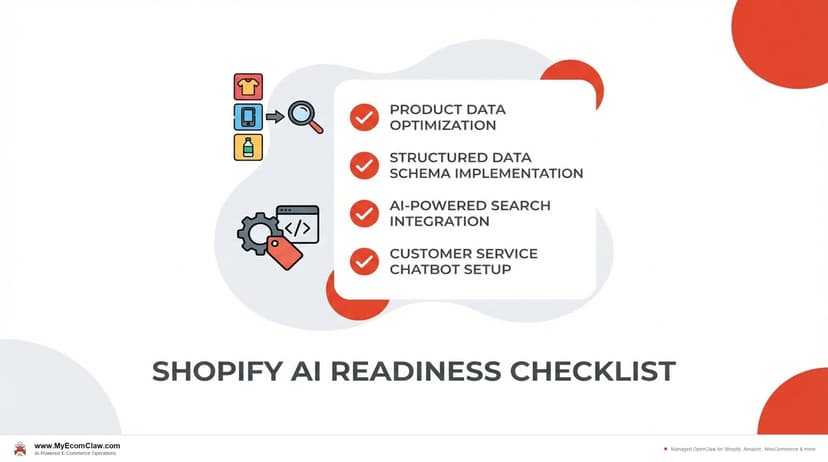
AI-Ready Shopify Checklist: 15 Fixes
AI shopping agents from ChatGPT, Google, and Perplexity are already recommending products. If your Shopify store isn’t structured for them, you’re invisible. Here are 15 things to fix before agents shop your store.
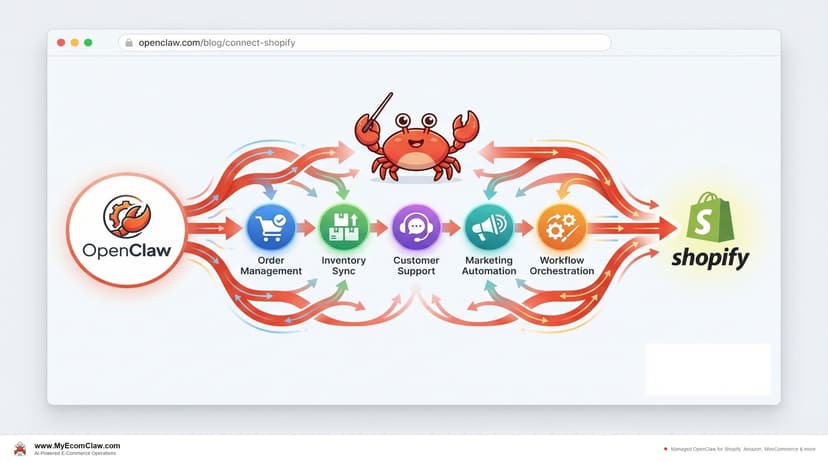
Connect OpenClaw to Shopify (2026 Guide)
OpenClaw has 191K+ GitHub stars — but connecting it to Shopify takes Admin API credentials, Composio OAuth, MCP configuration, and a week of DevOps.
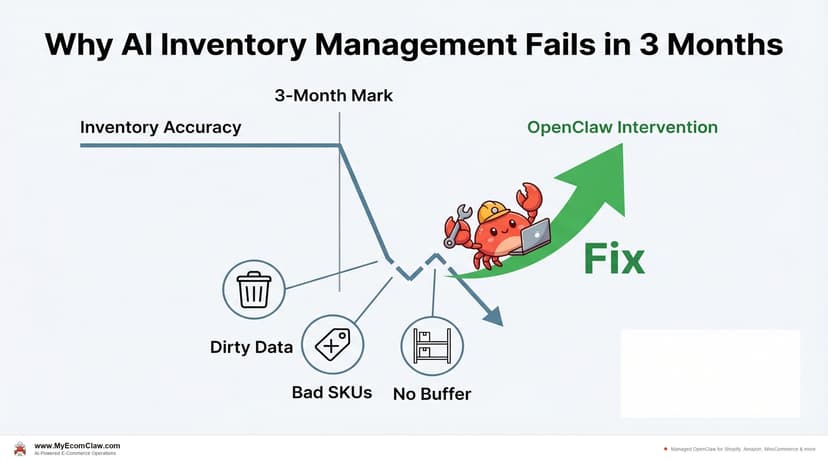
Why AI Inventory Fails in 3 Months
90% of merchants misunderstand AI for inventory. AI doesn’t fix bad data — it amplifies it. Here are the 5 most common failures and how.