OpenClaw WhatsApp Bot for Shopify

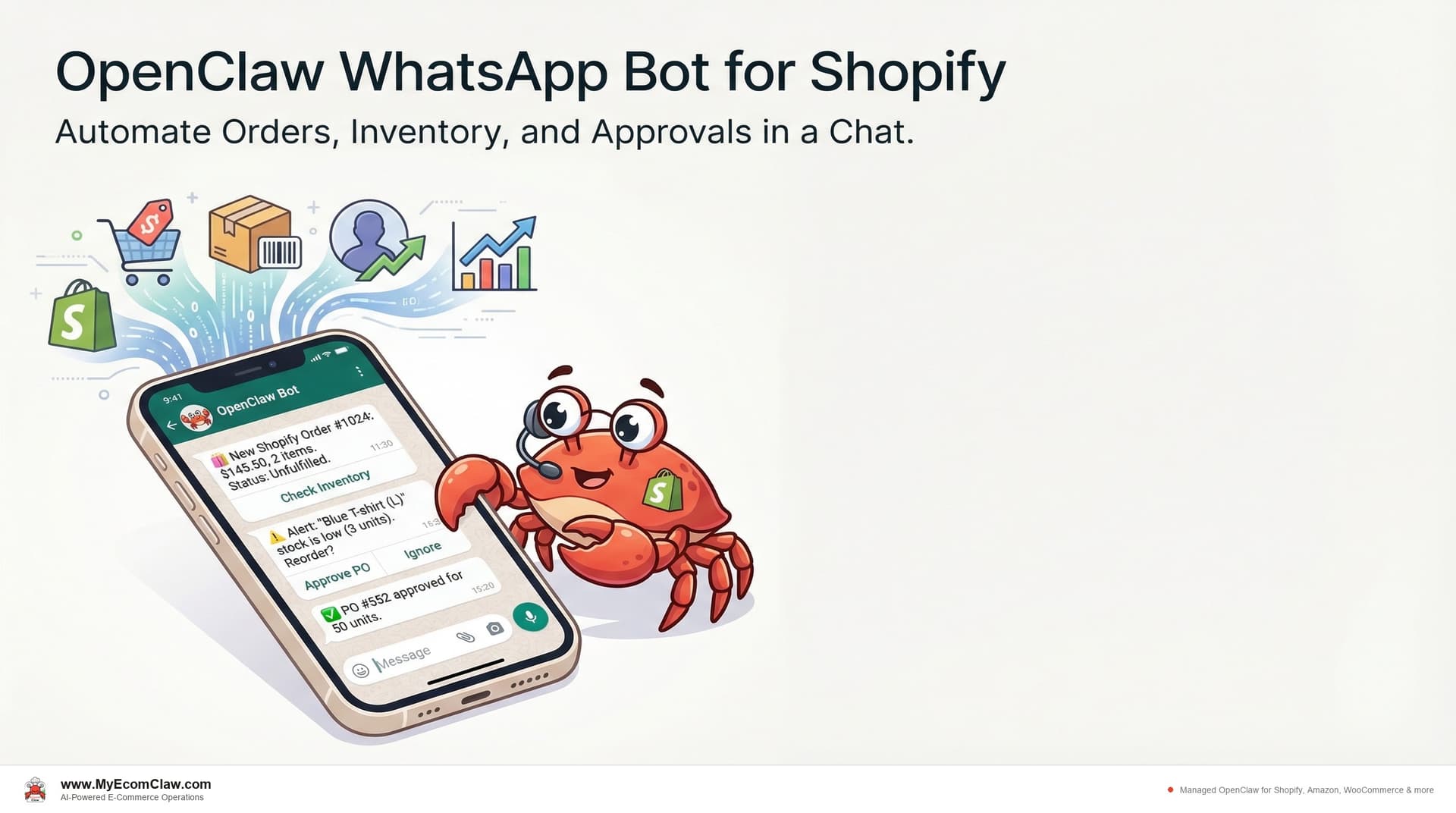
It’s 6:47 AM. You’re standing in your kitchen waiting for the coffee to brew. Your phone buzzes. It’s a WhatsApp message from your OpenClaw agent: "Good morning. 31 orders processed overnight. Revenue: $4,217. One issue — Red Hoodie XL is 6 units from stockout. PO draft ready. Approve?"
You type: "Approve." You put your phone down. The PO goes to your supplier. Your stock gets a buffer hold. Your Facebook ads for that product automatically pause until the restock lands.
You never opened a browser. You never logged into Shopify. You never touched a dashboard. You ran your store from the same app you use to text your family.
Why WhatsApp changes everything for Shopify sellers
Every Shopify seller knows the morning ritual. Open Shopify Admin. Check orders. Switch to Amazon Seller Central. Check inventory. Open Gorgias for support tickets. Open Klaviyo for campaigns. Open Triple Whale for analytics. Five tabs. Five logins. Five different interfaces — all before you’ve had breakfast.
A 2025 survey by Webgility found that 53% of e-commerce sellers spend 1-10 hours per week just managing inventory across platforms. Add order monitoring, support tickets, and campaign management, and you’re looking at 15-20 hours of dashboard-hopping per week.
The irony? You started a Shopify store for freedom. Now you’re a full-time dashboard operator.
Here’s the shift: OpenClaw — the world’s most popular open-source AI agent with 191,000+ GitHub stars — natively supports WhatsApp as a messaging interface. MyEcomClaw, a managed OpenClaw service for Shopify, WooCommerce, Amazon & more, deploys it on your own private server with all five agents pre-configured and connected to your WhatsApp.
You don’t learn a new interface. You don’t install another app. You text your agent the way you’d text your operations manager — and it handles the rest.
What you can do from WhatsApp (the complete list)
This isn’t a notification bot that sends you alerts you can’t act on. Your OpenClaw agent is a fully interactive AI that executes actions on your Shopify store directly from WhatsApp.
Order Agent commands:
- Check overnight orders and revenue
- Flag high-value or suspicious orders for review
- Approve or hold pending orders
- Track fulfillment status across carriers
- Process refunds and cancellations
Inventory Agent commands:
- Get real-time stock levels across Shopify, Amazon, WooCommerce
- Receive predictive stockout alerts (3-7 days out)
- Approve auto-generated purchase orders
- Fix SKU mapping issues across channels
- Set buffer stock and reorder thresholds
Support Agent commands:
- Review open support tickets by priority
- Approve or edit draft responses
- Escalate specific tickets to your team
- Check customer sentiment trends
- Process refund requests
Marketing Agent commands:
- Pause or resume ad campaigns
- Generate discount codes
- Check campaign ROI
- Schedule email campaigns
- Review customer segment performance
Orchestration Agent commands:
- Get a full morning briefing (all agents)
- Set priority overrides
- Trigger cross-agent workflows
- Review weekly performance summaries
Every command works the same way: you type a natural language message, and your agent executes the action against your Shopify Admin API, Amazon SP-API, or WooCommerce REST API. No buttons. No forms. No menus. Just a conversation.
Conversation 1: The morning briefing
This is the conversation most MyEcomClaw users start their day with. It takes about 45 seconds.
Morning briefing
Good morning! Here’s your daily ops summary for March 21, 2026:
📦 Orders (last 24h)
– 31 new orders — $4,217 revenue
– 29 fulfilled automatically, 2 held for review
– Held order #4782: billing address mismatch (flagged by Order Agent)
– Held order #4791: high-value ($389) — awaiting your approval
📊 Inventory Health: 92%
– 3 items below reorder point:
1. Red Hoodie XL: 6 units left, 4/day velocity, stockout in 1.5 days — PO #3012 drafted
2. Blue Widget: 34 units, 5/day velocity, stockout in 6.8 days — monitoring
3. Green Tee SM: 11 units, 2/day velocity, stockout in 5.5 days — monitoring
🎧 Support
– 14 tickets received, 11 auto-resolved
– 3 escalated to you:
1. Customer #8291 — refund request ($67, damaged item)
2. Customer #8304 — shipping delay inquiry (carrier delay, ETA updated)
3. Customer #8311 — product question (requires your product knowledge)
📣 Marketing
– Facebook campaign “Spring Sale” — $127 spent, $891 revenue (7.0x ROAS)
– Email campaign “Restock Alert” — 34% open rate, 12 conversions
– ⚠️ Red Hoodie XL ad still running — recommend pausing until restock
Recommended actions:
1. Approve PO #3012 for Red Hoodie XL
2. Pause Red Hoodie XL ads
3. Approve order #4791 ($389)
4. Review 3 escalated support tickets
Reply with action numbers or ask me anything.
1, 2, 3. Show me ticket from customer 8291.
✅ PO #3012 approved — 100x Red Hoodie XL from TextileCo. Est. delivery: March 26. Sent to supplier.
✅ Red Hoodie XL Facebook ads paused. Saved ~$45/day until restock.
✅ Order #4791 approved for fulfillment.
🎧 Ticket — Customer #8291 (Maya R.)
Subject: “Received damaged hoodie”
Message: “The hoodie I ordered arrived with a rip on the sleeve. Can I get a refund or replacement?”
Order: #4701, Blue Hoodie M, $67
Sentiment: Frustrated but polite
Draft response: “Hi Maya, I’m sorry about the damaged hoodie. I’ve initiated a full refund of $67 to your original payment method — you’ll see it in 3-5 business days. No need to return the item. If you’d like a replacement instead, just let me know!”
Approve draft, edit, or reply with custom response?
Approve
✅ Refund of $67 initiated for order #4701. Response sent to Maya R. Ticket closed.
That entire morning check took under 2 minutes. You approved a purchase order, paused an ad campaign that was burning money on an out-of-stock product, approved a high-value order, and resolved a customer complaint — all from WhatsApp before your coffee was ready.

Conversation 2: Crisis response (mid-day fire drill)
It’s 2:17 PM on a Thursday. Your supplier just emailed you — the shipment you expected tomorrow is delayed by 4 days. You have 23 units of your best-seller left and ads driving traffic to it right now.
Supplier delay on Blue Widget. Shipment pushed 4 days. What’s the impact?
Analyzing impact across all agents…
⚠️ Blue Widget Impact Assessment:
Inventory:
– Current stock: 23 units across all channels
– Sales velocity: 8/day (Shopify: 5, Amazon: 2, WooCommerce: 1)
– Previous ETA: March 22. New ETA: March 26.
– Stockout projected: March 24 (3 days from now)
Marketing:
– Active Facebook ads spending $50/day driving to Blue Widget page
– Projected wasted spend if ads continue: $200 before stockout
Support:
– If we stock out, estimated 15-20 “where is my order” tickets over 4 days
– Customer satisfaction risk: HIGH for repeat buyers
Orders:
– 3 pending orders with Blue Widget — all fulfillable from current stock
Recommended response plan:
1. Pause Blue Widget ads immediately (save ~$200)
2. Set buffer stock to 5 units (reserve for VIP/repeat customers)
3. Enable “notify me” on Shopify product page
4. Prepare support template for stockout inquiries
5. Contact backup supplier (Acme Supplies — last quoted $4.20/unit, 2-day delivery)
Execute all 5? Or select specific actions?
Execute all. Also get a quote from Acme for 100 units rush delivery.
✅ Blue Widget Facebook ads paused. Budget saved.
✅ Buffer stock set to 5 units across all channels.
✅ “Notify me when available” enabled on Shopify product page.
✅ Support template deployed: “Blue Widget is temporarily out of stock. Expected back March 26. Want me to notify you when it’s available?”
✅ Draft email to Acme Supplies sent for your review — requesting quote on 100x Blue Widget, rush delivery.
I’ll notify you when Acme responds. Monitoring stock levels in real-time.
That crisis response took 90 seconds. Without WhatsApp-based management, you’d have logged into Facebook Ads Manager, Shopify Admin, your support tool, and your email client — four different tabs, four different workflows, probably 30-45 minutes of context switching. And you might have forgotten to set the buffer stock, which means overselling during the low-stock window.
Conversation 3: Weekly review (Sunday evening)
Sunday at 8 PM. You want a quick picture of the week before Monday. One message.
Weekly review
Here’s your weekly summary for March 15-21, 2026:
💰 Revenue
– Total: $27,841 (+12% vs last week)
– Shopify: $18,230 | Amazon: $6,912 | WooCommerce: $2,699
– Average order value: $73.20 (+$4.10 vs last week)
– Top seller: Blue Widget ($4,890, 67 units)
📦 Orders
– 381 total orders (Shopify: 249, Amazon: 94, WooCommerce: 38)
– 374 fulfilled automatically (98.2% auto-fulfillment rate)
– 7 held for manual review (all resolved same day)
– 0 oversells this week ✅
📊 Inventory
– 4 POs generated, 4 approved by you via WhatsApp
– 2 stockout risks averted (Red Hoodie XL, Green Tee SM)
– 1 new supplier added (Acme Supplies — rush backup)
– SKU sync accuracy: 100% across all 3 channels
🎧 Support
– 89 tickets received, 76 auto-resolved (85.4% resolution rate)
– 13 escalated to you
– Average response time: 2.3 minutes (auto) / 4.1 hours (escalated)
– Customer satisfaction: 4.6/5.0
– Refunds processed: 3 ($201 total)
📣 Marketing
– Ad spend: $847
– Ad revenue: $6,234 (7.4x ROAS)
– Email campaigns sent: 2 (combined 31% open rate)
– Discount codes generated: 3 (used 47 times)
– Campaigns paused by agent: 1 (Red Hoodie XL stockout prevention, saved $200)
📈 Week-over-week trends:
– Revenue: ↑ 12%
– Orders: ↑ 8%
– Support tickets: ↓ 5% (fewer issues)
– ROAS: ↑ 0.6x (better targeting)
My recommendations for next week:
1. Blue Widget velocity increasing — consider ordering 20% more in next PO
2. WooCommerce growing — now 10% of revenue. Consider running dedicated WooCommerce ads.
3. Support resolution rate improving — consider reducing escalation threshold
Want to dive deeper into any section?
Great week. Add Blue Widget forecast to Monday briefing.
✅ Blue Widget sales forecast added to your Monday morning briefing. Good night!
That weekly review would have taken 45-60 minutes to compile manually — logging into three platforms, pulling data, comparing to last week, identifying trends. Your agent did it in the time it took you to read it.

Before & after: dashboard life vs. WhatsApp life
Before: Managing your Shopify store with dashboards
| Task | Where You Do It | Time Spent | Frequency |
|---|---|---|---|
| Check overnight orders | Shopify Admin | 10 min | Daily |
| Check Amazon orders + sync | Amazon Seller Central | 15 min | Daily |
| Reconcile inventory across channels | Spreadsheet + 3 platforms | 30 min | Daily |
| Review support tickets | Gorgias / Zendesk | 20 min | Daily |
| Check ad campaign performance | Facebook Ads Manager | 15 min | Daily |
| Create purchase orders | Google Docs + email | 25 min | 2-3x/week |
| Weekly performance review | 5 dashboards + calculator | 45 min | Weekly |
| Total weekly ops time | 5+ dashboards | 12-15 hours/week |
After: Managing your Shopify store from WhatsApp
| Task | Where You Do It | Time Spent | Frequency |
|---|---|---|---|
| Morning briefing (all ops) | 2 min | Daily | |
| Approve POs and stock decisions | 30 sec | As needed | |
| Review escalated support tickets | 5 min | Daily | |
| Crisis response (stockouts, delays) | 90 sec | As needed | |
| Weekly performance review | 3 min reading | Weekly | |
| Total weekly ops time | 1-2 hours/week |
- Time saved:10-13 hours per week
- At $50/hour(conservative founder rate) = $500-$650/week
- Annual value of recovered time: $26,000-$33,800/year
- MyEcomClaw Growth plan: $599/mo ($7,188/year)
- Net ROI: $18,800-$26,600/year in recovered productive time alone
And that’s just the time savings. It doesn’t count the oversells you avoided, the ad spend you saved by auto-pausing campaigns, or the support tickets your agent resolved at 3 AM while you slept.
Dashboard-only tools vs. WhatsApp-managed agents
Most Shopify automation tools give you a dashboard. A better dashboard, sure — but still a dashboard. You still have to log in, navigate menus, click buttons, and context-switch between tabs.
| Dashboard-Only Tools | OpenClaw via WhatsApp | |
|---|---|---|
| Interface | Web dashboard (another tab to check) | WhatsApp (already on your phone) |
| Response time | You check when you remember to check | Agent proactively alerts you |
| Action execution | Navigate menus, click buttons, fill forms | Type a natural language message |
| Cross-tool coordination | None — each tool is isolated | Orchestration Agent coordinates all 5 agents |
| Crisis response | Log into 3-4 tools, assess situation, act in each one | One message: "What’s the impact?" → full plan + execution |
| Availability | When you’re at a computer | Anywhere you have your phone |
| Learning curve | New interface to learn per tool | You already know how to text |
| Data ownership | Vendor’s cloud | Your server. Your data. MIT licensed. |
The cost of running your store from WhatsApp
| Starter | Growth | Scale | |
|---|---|---|---|
| Monthly | $299/mo | $599/mo | $999/mo |
| Setup | $499 one-time | $999 one-time | $1,999 one-time |
| Agents | 3 (Orders, Inventory, Support) | All 5 | All 5 + custom skills |
| WhatsApp included | Add-on ($49/mo) | Add-on ($49/mo) | Add-on ($49/mo) |
| Orders/month | Up to 1,000 | Up to 5,000 | Up to 15,000 |
| Your server | Shared VPS | Private VPS | Dedicated Mac Mini or VPS |
WhatsApp Business Channel is a $49/month add-on on any plan. Slack is included by default on all plans. Telegram and Discord are available as additional add-ons.
Most sellers on the Growth plan ($599/mo + $49 WhatsApp) are replacing $500-$1,800/month in disconnected apps — and getting their time back on top of that.

How it works (setup to first WhatsApp message)
Day 1: You sign up and tell us your channels. You pick a plan, share which platforms you sell on (Shopify, Amazon, WooCommerce), and tell us your biggest operational pain points. We provision your dedicated server. Your data never touches our servers.
Day 2-3: We connect your APIs. Shopify Admin API, Amazon SP-API, WooCommerce REST API — all wired up. SKU mapping configured across channels. Reorder thresholds set. Agent skills tested.
Day 3-4: Your WhatsApp lights up. Your OpenClaw agent sends its first message: "Hi! I’m your operations agent. I’ve synced 248 SKUs across your 3 channels. Current stock health: 91%. Want a full briefing?"
You reply: "Yes."
And that’s it. You’re running your store from WhatsApp.
Total time from signup to first WhatsApp conversation: 3-5 business days on Starter, 5-7 on Growth. You don’t configure anything — we handle deployment, API connections, and testing. You just start chatting.

Why this matters for your business
The WhatsApp interface isn’t a gimmick. It’s the difference between an AI tool you have to go use and an AI agent that works alongside you in the flow of your day.
Dashboard-based tools have a built-in problem: you only check them when you remember to. The stockout alert that fires at 2 AM sits in a dashboard tab until you log in at 8 AM. The high-value order that needs approval waits until you open Shopify. The ad campaign burning money on an out-of-stock product keeps running until you check Facebook Ads Manager.
Your OpenClaw agent on WhatsApp doesn’t wait for you to check in. It comes to you. The stockout alert arrives as a WhatsApp message. The high-value order pops up with a one-tap approval. The ad campaign pauses automatically — and tells you it did.
That’s the difference between software you operate and an agent that operates for you.
Our take
We built MyEcomClaw around WhatsApp because that’s where Shopify sellers actually are. Not in dashboards. Not in admin panels. On their phones, in the messaging app they open 50+ times a day.
The sellers who get the most from their OpenClaw deployment aren’t the ones who log in to check on it. They’re the ones who treat it like a team member they text. "How are we doing?" "Approve that PO." "Pause those ads." "What happened this week?" Natural language, real-time execution, from the same app they use for everything else.
Running your Shopify store from WhatsApp isn’t the future. It’s available right now — deployed on your own server, connected to your APIs, managed 24/7. OpenClaw’s 191K+ GitHub stars and MIT license mean no lock-in and no black boxes. Your data stays on your server. You own everything.
If you’re still opening 5 dashboards every morning, try texting your agent instead. See plans → · Talk to us →
Built on OpenClaw — 191,000+ GitHub stars, MIT licensed. Your data stays on your server. We deploy it, configure it for Shopify, WooCommerce, Amazon & more, and manage it. Starting at $299/mo. See plans →

FAQ
Can I really manage my entire Shopify store from WhatsApp?
Yes. Your OpenClaw agent can check orders, approve purchase orders, review support tickets, pause ad campaigns, generate discount codes, check inventory levels, and provide daily/weekly reports — all from WhatsApp. You interact using natural language messages, and the agent executes actions against your Shopify Admin API in real-time. The only things that still require the Shopify dashboard are theme editing and app installations. See a live demo →
Is this the same as Shopify’s WhatsApp notifications?
No. Shopify’s native WhatsApp integration sends order confirmations to customers. Your OpenClaw agent is a two-way interactive AI that YOU message to manage your store. You can ask questions, give commands, approve actions, and receive proactive alerts — it’s an operations manager in your chat app, not a notification bot.
What messaging apps does OpenClaw support besides WhatsApp?
OpenClaw natively integrates with WhatsApp, Slack, Telegram, Discord, iMessage, Google Chat, MS Teams, and more. Slack is included in all MyEcomClaw plans. WhatsApp Business Channel is a $49/month add-on. Telegram and Discord are $29/month. Most Shopify sellers prefer WhatsApp for personal management and Slack for team collaboration.
Is my store data secure when using WhatsApp?
Your OpenClaw agent runs on your own private server (VPS or Mac Mini). WhatsApp messages go from your phone to your agent on your server — your data never passes through MyEcomClaw’s infrastructure. All API keys are stored on your server. OpenClaw is MIT licensed with full transparency. You have full SSH access to your deployment.
How fast does the agent respond on WhatsApp?
Typical response time is 2-5 seconds for simple queries (stock checks, order counts) and 5-15 seconds for complex operations (cross-channel inventory analysis, multi-step crisis response plans). The agent uses your own LLM API key (BYOK), so response speed also depends on your chosen AI provider.
Can my team also message the agent?
Yes. You can connect multiple WhatsApp numbers or use Slack for team-wide access. The Orchestration Agent manages permissions — you can set who can approve POs, who can process refunds, and who gets read-only access to reports. Ask us about team setup →
What happens if WhatsApp is down?
Your OpenClaw agent continues operating on your server regardless of messaging channel availability. If WhatsApp is temporarily unavailable, your agent still processes orders, syncs inventory, handles support tickets, and runs campaigns automatically. You can switch to Slack or Telegram as a backup channel at any time. No operations are interrupted.
Ready to run your Shopify store from the app you already use 50 times a day?
MyEcomClaw deploys OpenClaw on your own server with five AI agents for orders, inventory, support, marketing, and orchestration — all manageable from WhatsApp. Your data stays on your server. MIT licensed. No lock-in.
More from Guides
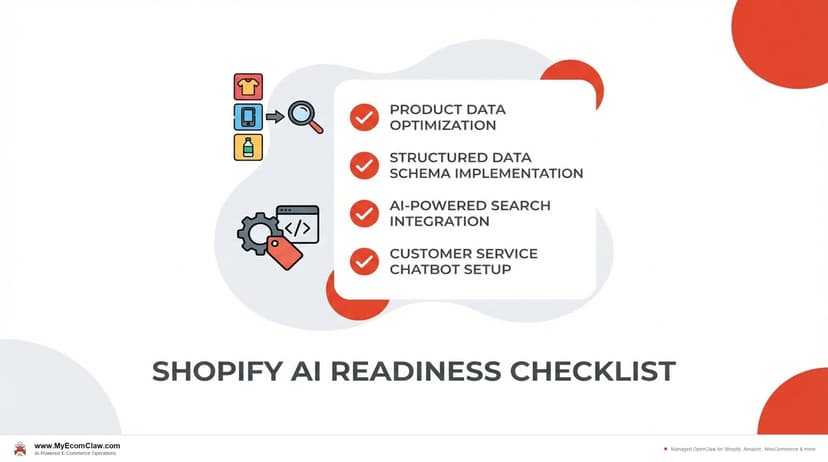
AI-Ready Shopify Checklist: 15 Fixes
AI shopping agents from ChatGPT, Google, and Perplexity are already recommending products. If your Shopify store isn’t structured for them, you’re invisible. Here are 15 things to fix before agents shop your store.
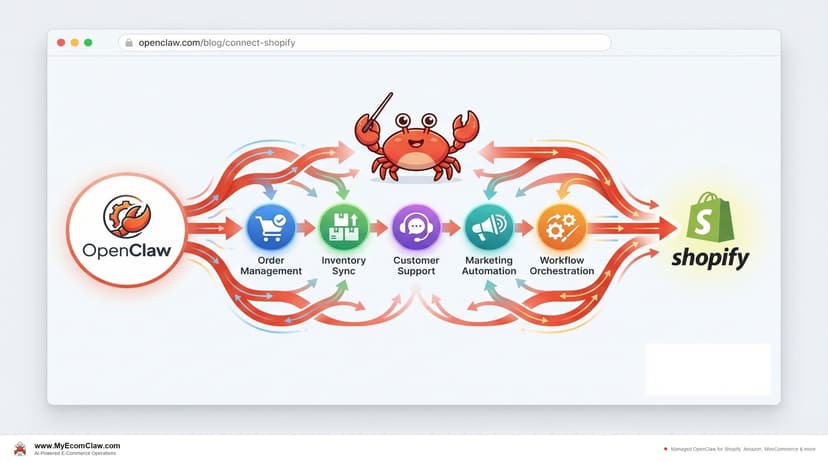
Connect OpenClaw to Shopify (2026 Guide)
OpenClaw has 191K+ GitHub stars — but connecting it to Shopify takes Admin API credentials, Composio OAuth, MCP configuration, and a week of DevOps.
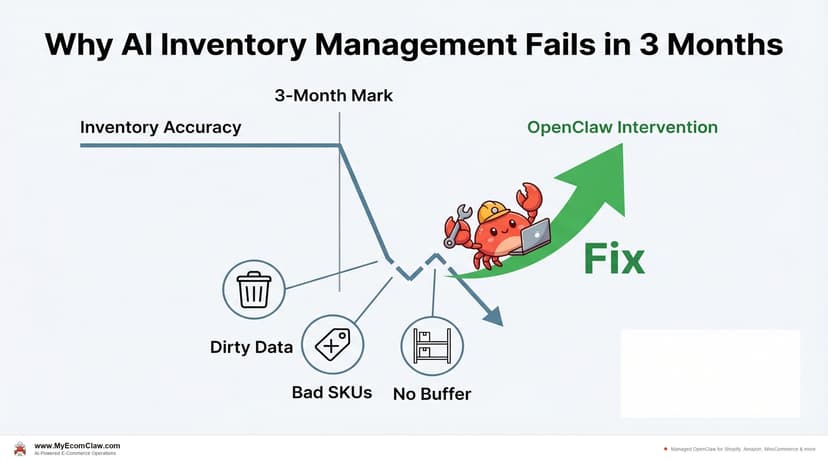
Why AI Inventory Fails in 3 Months
90% of merchants misunderstand AI for inventory. AI doesn’t fix bad data — it amplifies it. Here are the 5 most common failures and how.