Why DIY OpenClaw Fails (And What to Do Instead)

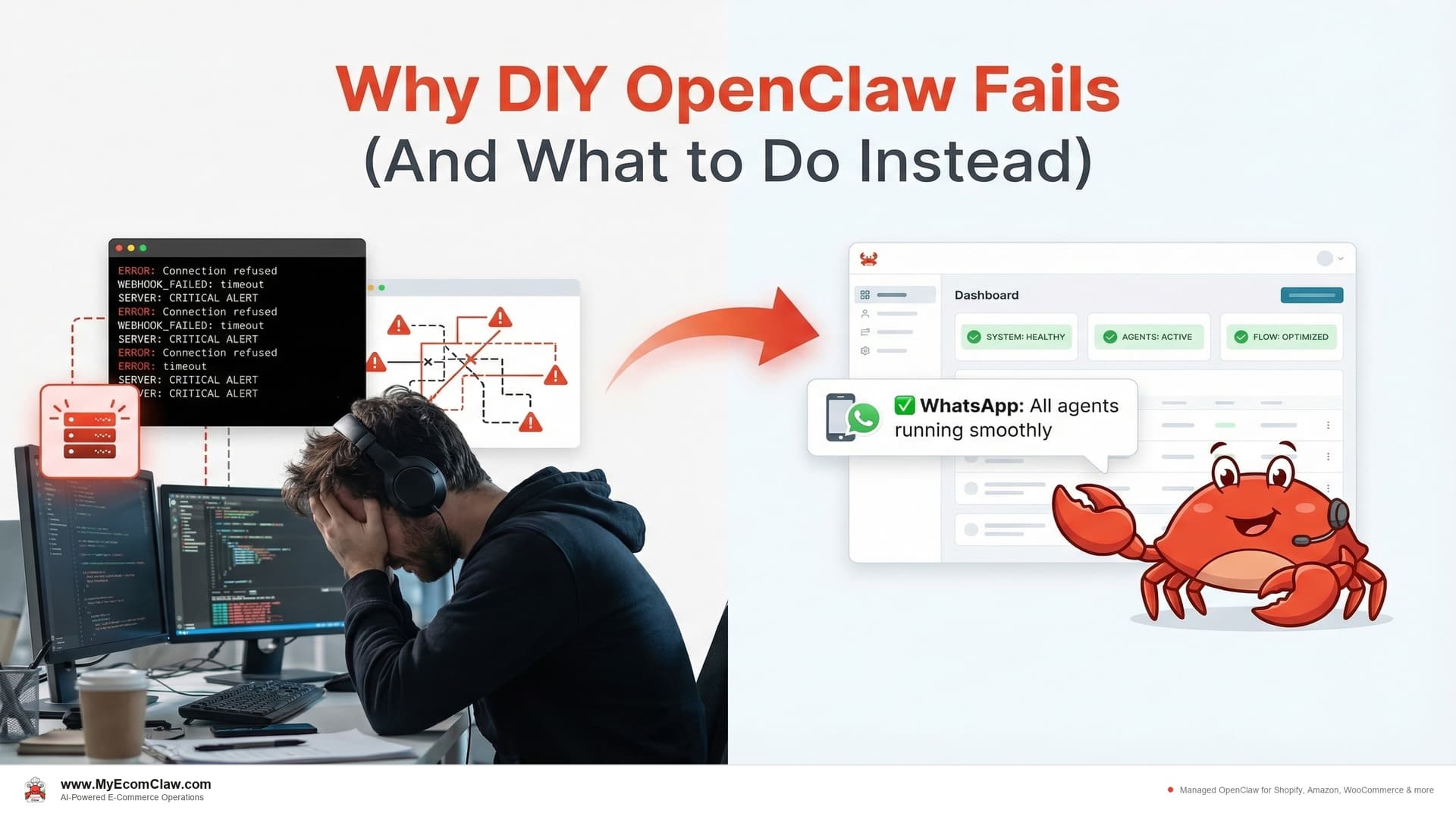
You spent a weekend getting OpenClaw running on your VPS. You connected your Shopify store via the Admin API. You wrote your first skill. It worked — once. Then the Shopify webhook stopped firing and you spent three hours debugging container logs. Then you realized your inventory sync skill was double-counting Shopify returns. Then your LLM bill hit $340 for a month because your agent was sending 50,000-token prompts for simple Shopify order lookups.
By week three, the agent was "running" — but you’d spent more time maintaining it than it saved you. By week six, a Shopify API update broke your order skill and you didn’t notice for two days. Forty-seven orders processed incorrectly.
Sound familiar?
This isn’t a criticism of OpenClaw. OpenClaw is extraordinary — 191,000+ GitHub stars, MIT licensed, the most popular open-source AI agent in the world. The technology works. The problem isn’t the tool. It’s the deployment model.
The OpenClaw paradox: free software, expensive deployment
OpenClaw is free. Downloading it costs $0. Running docker compose up takes 5 minutes. Getting a basic agent responding on Slack takes an afternoon.
But deploying OpenClaw for production e-commerce — connected to your Shopify Admin API, syncing inventory across Amazon and WooCommerce, processing real customer orders, handling real money — that’s a different story.
On r/openclaw, a developer posted: "Got OpenClaw running locally. Connected Shopify. It worked for a week. Then webhooks started silently failing and I lost a day of orders." Another on r/selfhosted described the setup as "the most deceptively simple deploy that turned into the most complex maintenance job I’ve had."
A survey of open-source self-hosters found that 65% of self-hosted services experience unplanned downtime within the first 90 days. For e-commerce, downtime doesn’t just mean inconvenience — it means lost orders, oversold inventory, and unanswered customer tickets.
The DIY trap is real: the initial setup is so easy that it hides the long-tail maintenance cost. Getting it running is the first 10%. Keeping it running reliably is the other 90%.
Failure mode #1: Shopify Admin API webhook stops sending order notifications
What happens: Webhooks are the nervous system of your OpenClaw deployment. When a customer places an order on your Shopify store, the Shopify Admin API fires a webhook to tell your agent. When inventory changes on Amazon Seller Central, an SP-API push notification fires. When a WooCommerce customer submits a support ticket, a REST webhook fires. If any of these break, your agent goes blind to that sales channel.
Why it breaks on DIY:
- Shopify Admin API webhook secret rotation — Shopify rotates webhook secrets periodically. If your agent doesn’t handle the rotation, your Shopify order webhooks silently fail and your agent stops seeing new Shopify orders
- Container restarts kill Shopify webhook delivery — When your OpenClaw container restarts, webhook endpoints become temporarily unreachable. Shopify marks webhooks as failed after 19 consecutive failures and stops sending them entirely. Your Shopify store keeps taking orders, but your agent doesn’t know about any of them
- SSL certificate expiration — Your Shopify Admin API webhook URL requires valid SSL. When the cert expires, Shopify can’t deliver order, refund, or inventory update notifications. Most DIY setups don’t have automated certificate renewal configured
- Amazon SP-API uses a completely different pattern — Amazon push notifications go through SQS, not HTTP webhooks like Shopify. You need separate infrastructure for Amazon order and inventory notifications — a different queue system, different authentication, different error handling
- WooCommerce webhook retries are aggressive — WooCommerce marks webhook endpoints as disabled after just 5 consecutive failures, and you have to manually re-enable them from wp-admin. Meanwhile, WooCommerce orders pile up unprocessed
How it manifests: You don’t get an error message. Your Shopify Admin API webhooks fail silently. Your agent stops receiving new Shopify orders. Your Amazon inventory stops syncing. Your WooCommerce refund webhooks go dead. You find out hours or days later — usually from a customer complaint on your Shopify store.
A real scenario: A Shopify seller configured their Admin API webhooks on Day 1. On Day 23, the SSL certificate auto-renewed but the new cert wasn’t properly loaded into the container. For 36 hours, no Shopify webhooks fired. The agent processed zero Shopify orders. Forty-seven Shopify orders went untracked. Inventory drifted between Shopify, Amazon, and WooCommerce. Three oversells on Amazon. Two Shopify refunds. One Amazon account health warning.
The seller didn’t know until a Shopify customer emailed asking why their order confirmation never arrived.
How managed deployment fixes this:
| DIY Problem | Managed Fix |
|---|---|
| Shopify Admin API webhook secret rotation | We monitor and rotate Shopify webhook credentials automatically — your store never goes dark |
| SSL certificate expiration blocks Shopify webhooks | Automated cert renewal with health checks — we verify Shopify webhook delivery after every renewal |
| Container restarts cause Shopify to disable webhooks | Persistent process management with automatic restart and Shopify webhook re-registration |
| Silent failures across all channels | Heartbeat monitoring — if Shopify, Amazon, or WooCommerce webhooks stop, we get alerted within minutes, not days |
| Amazon SP-API SQS setup | We configure the full SQS pipeline for Amazon Seller Central push notifications during onboarding |
| WooCommerce webhook auto-disabling | We monitor WooCommerce webhook status and re-enable automatically before orders pile up |
Failure mode #2: Inventory sync skill doesn’t map Shopify SKUs to Amazon ASINs correctly
What happens: OpenClaw skills are TypeScript functions that define what your agent can do — shopify-orders, stockout-prediction, refund-processing, customer-segmentation. Each skill needs to be configured with the correct Shopify Admin API endpoints, Amazon SP-API authentication, WooCommerce REST API business logic, and error handling for YOUR specific store.
Why it breaks on DIY:
Shopify-to-Amazon inventory sync is harder than it looks. A "simple" sync between your Shopify store and Amazon Seller Central requires handling: Shopify variant IDs mapped to Amazon ASINs, Shopify bundle components broken into individual Amazon FBA SKUs, Shopify returns that don’t match Amazon FBA return processing, buffer stock calculations for Amazon Prime vs. Shopify direct fulfillment, and rate limiting on both the Shopify Admin API and Amazon SP-API. Miss one edge case — like a Shopify variant that maps to two Amazon listings — and inventory counts drift across channels.
Shopify refund processing has real money on the line. A misconfigured refund skill can auto-approve Shopify refunds it shouldn’t, fail to process Amazon A-to-Z claims it should, or — in the worst case — process duplicate refunds on both Shopify Payments and Amazon. One Shopify seller reported a skill bug that refunded the same Shopify order three times through the Admin API before they caught it.
Shopify, Amazon, and WooCommerce orders have completely different structures. Shopify orders use the Admin API with line items, fulfillments, and transactions as separate objects. Amazon orders come through SP-API with different status flows (Pending, Unshipped, Shipped). WooCommerce uses REST webhooks with its own order status lifecycle. A skill that works perfectly for Shopify order validation will break on Amazon orders because the data structures are fundamentally different.
Sentiment detection thresholds matter for Shopify customer support. Set the escalation threshold too low and every Shopify customer inquiry about shipping times gets escalated to you. Set it too high and a Shopify customer furious about a wrong-size delivery gets a robotic "your order has shipped" response. The calibration requires testing with real Shopify support ticket data from your store.
The time cost of DIY skill configuration:
| Skill | DIY Time to Configure | DIY Time to Debug (First 30 Days) | Managed: Configured + Tested By |
|---|---|---|---|
shopify-orders |
8-12 hours | 5-10 hours | Day 3 of onboarding |
shopify-inventory |
12-20 hours | 8-15 hours | Day 3 of onboarding |
stockout-prediction |
15-25 hours | 10-20 hours | Day 4 of onboarding |
refund-processing |
10-15 hours | 5-10 hours | Day 3 of onboarding |
customer-segmentation |
8-12 hours | 3-8 hours | Day 5 of onboarding |
amazon-sp-api |
15-25 hours | 10-15 hours | Day 4 of onboarding |
| Total | 68-109 hours | 41-78 hours | 5-7 business days |
That’s 109-187 hours of DIY work in the first month alone. At $50/hour, that’s $5,450-$9,350 in founder time — for the initial setup, before ongoing maintenance.
And the debugging never really stops. Every Shopify Admin API update, every Amazon SP-API policy change, every new Shopify product variant you add, every WooCommerce plugin update that changes webhook payloads — each one creates potential for skill misconfiguration. DIY means you’re the one who catches and fixes it while your Shopify store keeps taking orders.
Failure mode #3: Your agent misses a flash sale because the VPS ran out of memory during a Shopify traffic spike
What happens: Your OpenClaw agent runs on a server — VPS or Mac Mini. That server needs operating system updates, security patches, container updates, disk space management, backup configuration, SSL renewal, firewall rules, and monitoring. For most Shopify sellers, this is a job they didn’t sign up for — they signed up to sell products, not manage infrastructure.
Why it breaks on DIY:
Your Shopify flash sale crashes the agent. You run a 48-hour sale on your Shopify store. Traffic spikes 10x. Your VPS runs out of memory because OpenClaw is processing hundreds of Shopify orders simultaneously while syncing inventory to Amazon and WooCommerce. The agent crashes mid-sale. Orders keep flowing into Shopify, but your agent isn’t processing them, updating Amazon stock levels, or sending confirmation emails. You oversell 15 products on Amazon before you notice.
Unpatched vulnerabilities expose your Shopify credentials. Your server is accessible from the internet (Shopify webhooks need to reach it). Every unpatched CVE is a potential attack vector. Your Shopify Admin API keys, Amazon SP-API credentials, WooCommerce consumer secrets, and customer PII are all on that server.
Disk space exhaustion kills your Shopify operations. OpenClaw logs from processing Shopify orders, Amazon inventory syncs, and WooCommerce webhook payloads accumulate fast. A 40GB VPS fills up in 2-3 months if logs aren’t rotated. When disk hits 100%, everything stops — your agent stops processing Shopify orders, Amazon inventory freezes, and WooCommerce refunds stall.
No monitoring means your Shopify store runs blind. Most DIY setups have no uptime monitoring. The server goes down at 2 AM Saturday during your biggest sales weekend. You find out Monday morning. That’s 54 hours of downtime where your agent wasn’t processing Shopify orders, syncing inventory to Amazon, or handling WooCommerce support tickets. Every Shopify order during that window was untracked.
No backups means your Shopify skill configuration is gone. If your VPS provider has an incident, your entire agent configuration — Shopify API connections, Amazon ASIN mappings, WooCommerce webhook settings, custom skills — is gone. One Shopify seller on r/selfhosted lost their entire OpenClaw configuration when their VPS provider migrated hardware without notice. Two weeks of Shopify + Amazon skill configuration work — gone.
The monthly server maintenance checklist (DIY):
| Task | Frequency | Time Per Instance |
|---|---|---|
| OS security patches | Weekly | 15-30 min |
| Container/runtime updates | Monthly | 30-60 min |
| OpenClaw updates | Monthly | 1-3 hours (test with skills first) |
| Log rotation and disk cleanup | Weekly | 10-20 min |
| SSL certificate check | Monthly | 10 min (or 2+ hours if it expired) |
| Backup verification | Weekly | 15-30 min |
| Security audit (firewall, SSH keys) | Monthly | 30-60 min |
| Uptime check (manual) | Daily | 5 min (assuming you remember) |
| Total monthly | — | 8-16 hours/month |
Annual cost of DIY server maintenance: 96-192 hours x $50/hour = $4,800-$9,600/year in founder time. Plus any emergency fixes.
How managed deployment handles this:
We handle all server maintenance — OS updates, container updates, OpenClaw updates, disk management, SSL, backups, monitoring, security patches. We also scale your server resources before known Shopify traffic events (flash sales, BFCM, product launches) so your agent never chokes during peak Shopify order volume. You never SSH into your server unless you want to (you have full access — it’s your server). We monitor uptime 24/7 and respond to incidents within 4 hours (Scale plan) to 48 hours (Starter plan).
Your agent runs on YOUR server. We maintain it FOR you. Your Shopify store keeps selling. Your Amazon listings stay accurate. Your WooCommerce refunds process on time. We just make sure the infrastructure doesn’t break while you’re busy running your business.


Failure mode #4: Processing 5,000 WISMO tickets burns through your Anthropic credits in 3 days
What happens: OpenClaw agents use LLM APIs (OpenAI, Anthropic) to process natural language, make decisions, and generate responses. Every agent action consumes tokens. Without careful prompt engineering and token management, costs escalate rapidly — especially when your Shopify store is generating thousands of customer interactions.
Why it breaks on DIY:
Naive prompting sends too many tokens on every Shopify order. A DIY skill that sends the full Shopify order history (50,000 tokens) just to look up one tracking number. A support skill that includes your entire Shopify product catalog in every prompt when a customer asks "where is my order?" An inventory skill that recalculates all Shopify SKUs and Amazon ASINs instead of just the changed ones.
No token budgeting means a BFCM weekend destroys your LLM budget. Without per-skill token limits, a single runaway skill can burn through your monthly Anthropic or OpenAI budget in a day. One Shopify seller reported a $340 OpenAI bill in a single month because their Shopify order validation skill was re-processing every order in the queue on every trigger. Another had their Anthropic credits drained in 3 days processing 5,000 "where is my order?" (WISMO) tickets from their Shopify store.
Model selection matters for Shopify operations. GPT-4o costs 10x more per token than GPT-4o-mini. Most Shopify agent tasks — order status lookups, tracking number retrieval, simple return eligibility checks — don’t need GPT-4o. But most DIY configs default to the most expensive model for everything, including answering "where is my Shopify order?" for the 500th time this month.
Retry loops on Shopify webhook processing. A misconfigured Shopify order skill that fails and retries 10 times per webhook trigger, each time sending a full prompt with the order data. During a busy Shopify sales day with 200+ orders, your API bill reflects 10x the expected usage.
Real LLM cost comparison:
| Configuration | Monthly LLM Cost (2,000 orders/mo) |
|---|---|
| DIY — naive prompts, GPT-4o for everything | $200-$500/mo |
| DIY — optimized prompts, mixed models | $80-$150/mo |
| Managed — fully optimized by MyEcomClaw | $49-$99/mo (managed credits) or $40-$80 BYOK |
The difference: Managed deployment includes prompt optimization, model routing (cheap model for simple tasks, expensive model for complex reasoning), token budgets per skill, and retry limits. We’ve optimized these prompts across hundreds of deployments. DIY means you’re learning these lessons with your own credit card.

Talk to your managed agent on WhatsApp (vs. DIY debugging)
Here’s the contrast between a managed OpenClaw deployment and a DIY one — when something goes wrong.
DIY scenario: Shopify Admin API webhook failure at 2 AM
You (checking Shopify Admin, Monday 8 AM): "Wait — there are 23 Shopify orders from the weekend that didn’t get processed by the agent. And my Amazon listings still show the old stock levels."
Opens terminal. Checks container logs. Finds SSL certificate expired Saturday 2 AM. Shopify Admin API webhooks have been failing for 54 hours. Amazon SP-API inventory sync stalled at the same time.
Renews certificate. Restarts container. Re-registers Shopify webhooks. Manually processes 23 Shopify orders. Manually corrects Amazon inventory for 47 SKUs. Takes 3 hours.
Two Amazon oversells found because Shopify sales weren’t synced. Processes Amazon refunds. Sends apology emails to Amazon buyers manually. Amazon account health takes a hit.
Total time to recover: 3-4 hours + 2 Amazon customer complaints + 2 refunds + account health warning
Managed scenario: Same Shopify webhook failure, handled automatically
Your Agent (WhatsApp, Saturday 2:14 AM): 🔧 Maintenance Notice
SSL certificate was due for renewal. Auto-renewed successfully. Shopify Admin API webhook delivery confirmed. Amazon SP-API connection verified. WooCommerce webhooks active. No interruption to service.
Processing continues normally. 47 Shopify orders handled since midnight. Amazon inventory synced. 3 WooCommerce refunds processed.
You (Monday 8 AM, reading WhatsApp): Scrolls past the maintenance notice. Shopify store, Amazon listings, WooCommerce shop — everything ran smoothly all weekend. Starts the week.
Total time spent: 5 seconds reading the notification
That’s the difference between a managed deployment and a DIY one. Not "better technology" — the same OpenClaw, the same skills, the same agent. The difference is whether someone is watching the infrastructure while you sleep and your Shopify store keeps taking orders.
What a managed check-in looks like on WhatsApp — a Shopify seller asking about their store:
How’s my store doing this week? Any issues with Shopify or Amazon?
All systems healthy. Here’s the weekly status for your Shopify store and connected channels:
– Uptime: 100% (168/168 hours)
– Shopify orders processed: 342 (all synced to fulfillment)
– Amazon inventory syncs: 1,847 SKU updates, 0 discrepancies
– WooCommerce webhooks: 658 received, 0 failures
– Shopify Admin API: All webhooks active, zero missed notifications
– SSL cert: Valid, renews automatically April 18
– OpenClaw version: v3.4.2 (updated Tuesday, all Shopify + Amazon skills tested and passing)
– LLM spend this week: $18.40 (within budget — mostly Shopify WISMO ticket handling)
No incidents across any channel. No action needed from you.
Perfect. Thanks.
That took 5 seconds. On DIY, the same "is my Shopify store OK?" check requires accessing your server, checking container logs, verifying Shopify webhook delivery, confirming Amazon inventory accuracy, and reviewing disk usage manually.
Before and after: the true cost of DIY vs. managed
Before: DIY OpenClaw for Shopify + Amazon (Year 1)
| Cost Category | Time | Dollar Cost |
|---|---|---|
| Initial setup (server provisioning, Shopify Admin API connection, Amazon SP-API, skill configuration) | 80-120 hours | $4,000-$6,000 at $50/hr |
| Skill development and debugging (first 90 days) | 40-80 hours | $2,000-$4,000 |
| Server maintenance (OS, containers, SSL, backups) | 96-192 hours/year | $4,800-$9,600/year |
| Ongoing skill maintenance (API changes, new features, bug fixes) | 50-100 hours/year | $2,500-$5,000/year |
| VPS hosting | — | $20-$80/month = $240-$960/year |
| LLM costs (naive prompting) | — | $150-$400/month = $1,800-$4,800/year |
| Downtime costs (unmonitored failures, 4-6 incidents/year) | 20-40 hours | $1,000-$2,000 + lost revenue |
| Total Year 1 | 286-532 hours | $16,340-$32,360 |
After: Managed OpenClaw via MyEcomClaw (Year 1, Growth Plan)
| Cost Category | Time | Dollar Cost |
|---|---|---|
| Setup fee (one-time) | 0 hours (your time) | $999 |
| Monthly plan (5 agents, all platforms) | 1-2 hrs/week reviewing reports | $599/month = $7,188/year |
| Managed AI credits (optimized) | — | $99/month = $1,188/year |
| Your time (approving POs, reviewing escalations) | 50-100 hours/year | Part of running your business |
| Total Year 1 | 50-100 hours | $9,375 |
- DIY Year 1:$16,340-$32,360 (plus 286-532 hours of your time)
- Managed Year 1:$9,375 (plus 50-100 hours of your time)
- Savings with managed:$6,965-$22,985 in costs + 236-432 hours of your time back
- And managed includes:24/7 monitoring, automatic updates, skill optimization, security patches, backup management
The "free" software costs more than the managed service. Every time. Because the software is free but the deployment, configuration, and maintenance are not.

The four questions to ask before going DIY
Be honest with yourself about these:
1. Do you have DevOps experience?
OpenClaw deployment requires: server provisioning, VPS management, SSL/TLS for Shopify webhooks, firewall configuration, credential management for your Shopify Admin API keys and Amazon SP-API tokens, log rotation, backup strategy, and uptime monitoring. If provisioning a VPS and connecting the Shopify Admin API sounds unfamiliar, DIY will take 3-5x longer than estimated.
2. Do you have time for ongoing maintenance?
Not just setup — maintenance. Every week. OS patches, container updates, OpenClaw updates, log cleanup, backup verification, Shopify webhook health checks, Amazon SP-API token refresh monitoring. 8-16 hours per month, every month, forever. If you’re a Shopify seller doing 2,000+ orders/month, those 8-16 hours have a very high opportunity cost.
3. Can you afford downtime?
Unmonitored DIY deployments experience 4-6 unplanned incidents per year on average. Each incident means hours of lost agent operation — unprocessed orders, unsynced inventory, unanswered support tickets. If your store does $200K+/year in revenue, a 48-hour outage could cost $1,000-$5,000 in lost sales and operational cleanup.
4. Do you understand LLM cost optimization?
Prompt engineering, model routing, token budgeting, caching strategies. Without these, your LLM costs will be 2-5x higher than an optimized deployment. The difference between $400/month and $80/month is knowing which model to use for each task and how to structure prompts efficiently.
If you answered "no" to any of these, managed deployment isn’t a luxury — it’s the cheaper option.
Why this matters for your business
The OpenClaw setup struggle is a rite of passage in the community. Everyone tries it. Most sellers hit the same walls — webhooks, skills, maintenance, costs. The technology is incredible. The deployment challenge is real.
The cost of a failed DIY deployment isn’t just the time you spent. It’s the time your store operated without a working agent — orders unprocessed, inventory unsynced, customers unanswered. Every day your agent is down or misconfigured is a day you’re back to manual operations.
🔥 The hidden cost of "almost working":
- An agent that processes 90% of orders correctly means 10% are wrong — at 2,000 orders/month, that’s 200 errors/month
- An inventory sync that’s 95% accurate drifts by 5% — on 300 SKUs, that’s 15 SKUs with incorrect counts at any given time
- A support agent with a 70% resolution rate (instead of 85%) means 450 extra tickets/month escalated to you
"Almost working" is worse than "not working." Because "not working" is obvious — you know to fix it. "Almost working" creates silent data problems that compound daily until you discover them from a customer complaint or an Amazon account health warning.
Built on OpenClaw — 191K+ GitHub stars, MIT licensed, the most popular open-source AI agent in the world. Deployed by a team with 15+ years in software, 500+ projects delivered. Your server. Your data. No lock-in.
Our take
OpenClaw is the best open-source AI agent in the world. 191,000+ GitHub stars. MIT licensed. Massive community. Incredible technology. We use it every day. We love it.
But "free and open source" doesn’t mean "free to deploy and operate." The gap between running OpenClaw on your laptop and running it in production for a Shopify + Amazon store handling real orders and real money — that gap is where most sellers fail.
The failure modes are predictable and well-documented: webhook breaks, skill misconfiguration, server maintenance debt, LLM cost overruns. Every one of them is solvable. But solving them requires DevOps expertise, ongoing time investment, and operational discipline that most e-commerce sellers don’t have — because they’re busy selling products, not managing infrastructure.
Managed deployment isn’t "paying for something that’s free." It’s paying for the 90% of the work that comes after the initial install — the webhook monitoring, the skill optimization, the security patches, the LLM cost management, the 24/7 uptime monitoring. You get the agent. We do the DevOps. On your server. Your data. No lock-in.
If you tried DIY OpenClaw and hit the wall — or if you’re considering it and want to skip the wall entirely — managed is the path. See plans starting at $299/mo → · Talk to someone who’s done 500+ deployments →
FAQ
Is DIY OpenClaw ever the right choice?
Yes — for developers. If you have server management experience, enjoy configuring Shopify Admin API connections and Amazon SP-API integrations, and have 10+ hours/week to dedicate to maintenance, DIY can work. OpenClaw’s documentation is excellent and the community is helpful. The issue is for Shopify sellers whose primary job is running their store, not managing infrastructure. If tinkering with containers and TypeScript skills sounds fun, go for it. If it sounds like a chore — and you’d rather spend that time growing your Shopify store — go managed. Not sure? Let’s talk about your situation →
Can I start DIY and switch to managed later?
Absolutely. Many of our clients started DIY, hit one of the failure modes described above, and switched to managed. We can take over your existing OpenClaw deployment — your server, your skills, your configuration — and bring it under managed operations. Migration from legacy/DIY setups is $999-$2,499 depending on complexity. Tell us about your setup →
If I go managed, do I still own everything?
Yes. OpenClaw is MIT licensed. Your agent runs on your server (VPS or Mac Mini). You have full SSH access. Your data, skills, configuration, and API keys are on your infrastructure. If you ever leave MyEcomClaw, you take everything with you. No lock-in. No data hostage. No proprietary components.
How does managed deployment handle OpenClaw updates?
We test every OpenClaw update against your specific skill configuration before deploying. Updates are applied during low-traffic windows. If an update introduces a breaking change, we fix the affected skills before deploying. You get a WhatsApp notification: "OpenClaw updated to v3.x. All skills tested and running. No action needed."
What if I have custom skills that I built myself?
We can integrate your existing custom skills into the managed deployment. We’ll review them for optimization, security, and compatibility, and include them in our monitoring and update pipeline. Custom skill review is included in the setup process for Growth and Scale plans.
How quickly can you fix a broken DIY deployment?
Typically 1-3 business days to audit, fix, and stabilize a broken DIY OpenClaw deployment. Emergency skill fixes are available as a one-time service ($199). Full migration to managed operations takes 5-7 business days. Get emergency help →
Tried DIY OpenClaw and hit the wall? You’re not alone.
MyEcomClaw deploys and manages OpenClaw on your own server. Pre-configured skills for Shopify, WooCommerce, Amazon, and Walmart. 24/7 monitoring. Automatic updates. Optimized LLM costs. You get the agent. We do the DevOps.
More from Guides
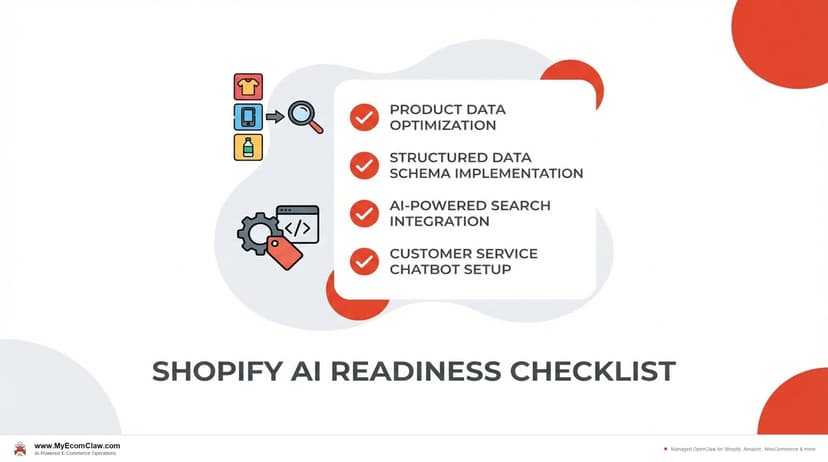
AI-Ready Shopify Checklist: 15 Fixes
AI shopping agents from ChatGPT, Google, and Perplexity are already recommending products. If your Shopify store isn’t structured for them, you’re invisible. Here are 15 things to fix before agents shop your store.
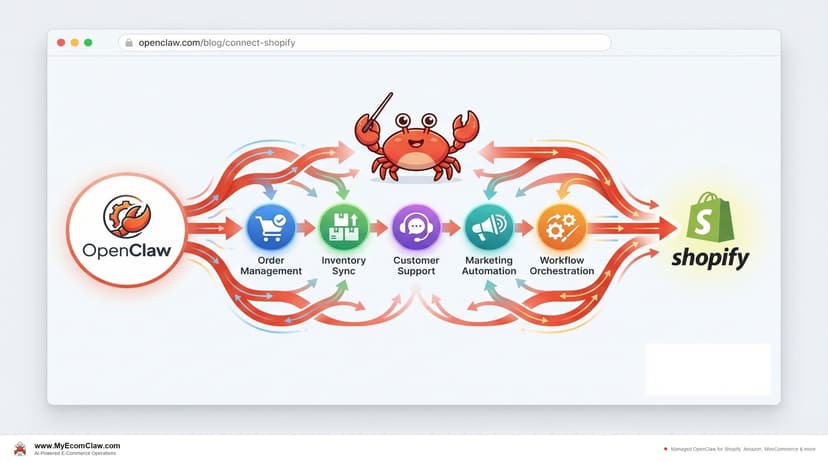
Connect OpenClaw to Shopify (2026 Guide)
OpenClaw has 191K+ GitHub stars — but connecting it to Shopify takes Admin API credentials, Composio OAuth, MCP configuration, and a week of DevOps.
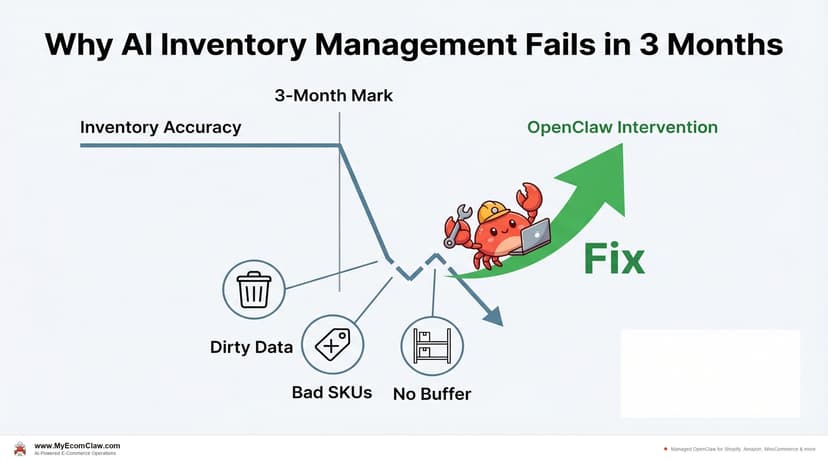
Why AI Inventory Fails in 3 Months
90% of merchants misunderstand AI for inventory. AI doesn’t fix bad data — it amplifies it. Here are the 5 most common failures and how.